

Chapter 3: Setting Up Your Data
The Records You Need and How They Relate
Most small businesses need four or five kinds of record. Get the links between them right and the rest of your setup gets much easier.
Lesson 1 of 8 · 6 min read ·
A spreadsheet stores everything on one row. That works until one row has to describe a person, the company she works for, three jobs and a phone call from last March. A CRM splits those things into separate records and links them together. Getting that split right is the most important setup decision you will make, and it takes about an hour with a pen.
You don't need any technical background for this. You only need to answer one question: what are the things in your business that you keep track of?
Which five records do most businesses need?
- Contact: a person you talk to. It holds a name, a phone number and an email address.
- Company: the organization a contact belongs to. It holds a business name, an address and perhaps a billing email. If you sell to households, you may not need this one.
- Deal: one possible sale, with a value and a stage. Some products call it an opportunity.
- Activity: a call, email, meeting or note that has already happened.
- Task: something somebody needs to do by a date.
The first three are the ones you design. Activities and tasks attach to them, and most CRMs handle those for you.
The test for whether something deserves its own record is simple. If there can be more than one of it, and each one has its own details, it is a record. If there is only ever one, it is a field on another record. A customer has one birthday, so that's a field. A customer might have five quotes, each with its own date and amount, so a quote is a record.
How do records link to each other?
Records connect in two common shapes, and you only need to learn those two.
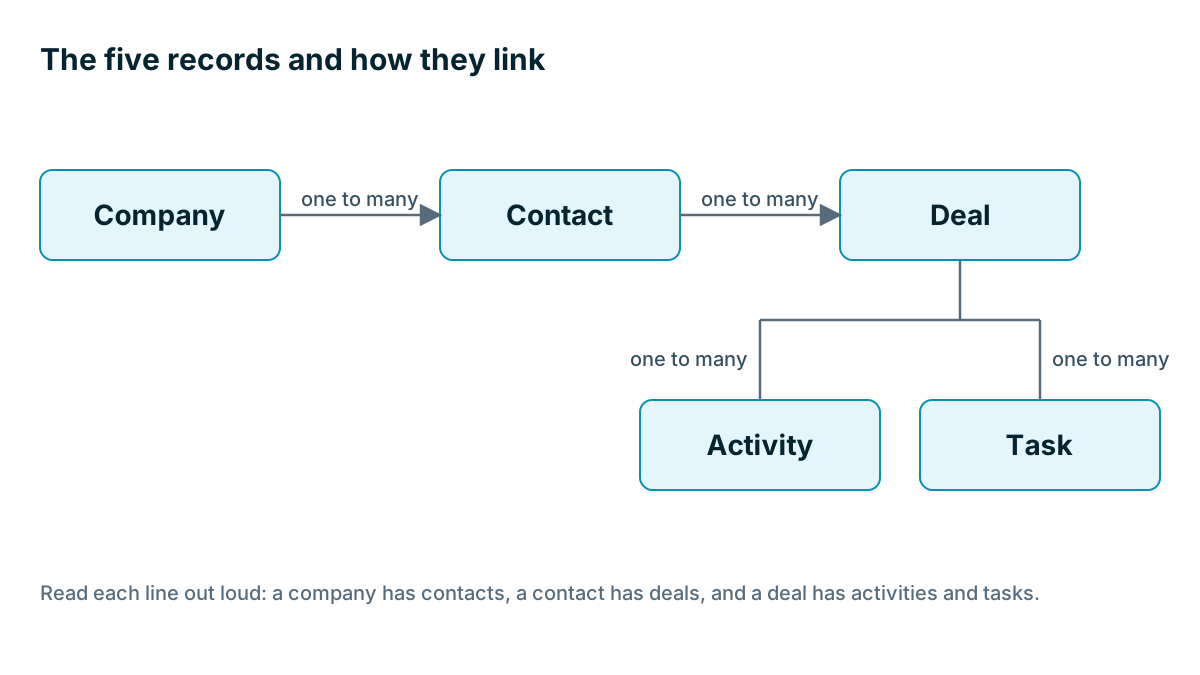
One to many. One company has many contacts. One contact has many deals. One deal has many activities. Almost everything in a small business CRM looks like this.
Many to many. One contact is linked to several companies, and each company has several contacts. An accountant who looks after the books for four of your customers is the classic case. Not every CRM handles this well, so check during your trial if it matters to you.
Here is the map for most small businesses. Read each line out loud and it should sound true: a company has contacts, a contact has deals, and a deal has activities and tasks.
How would a fire safety firm map its records?
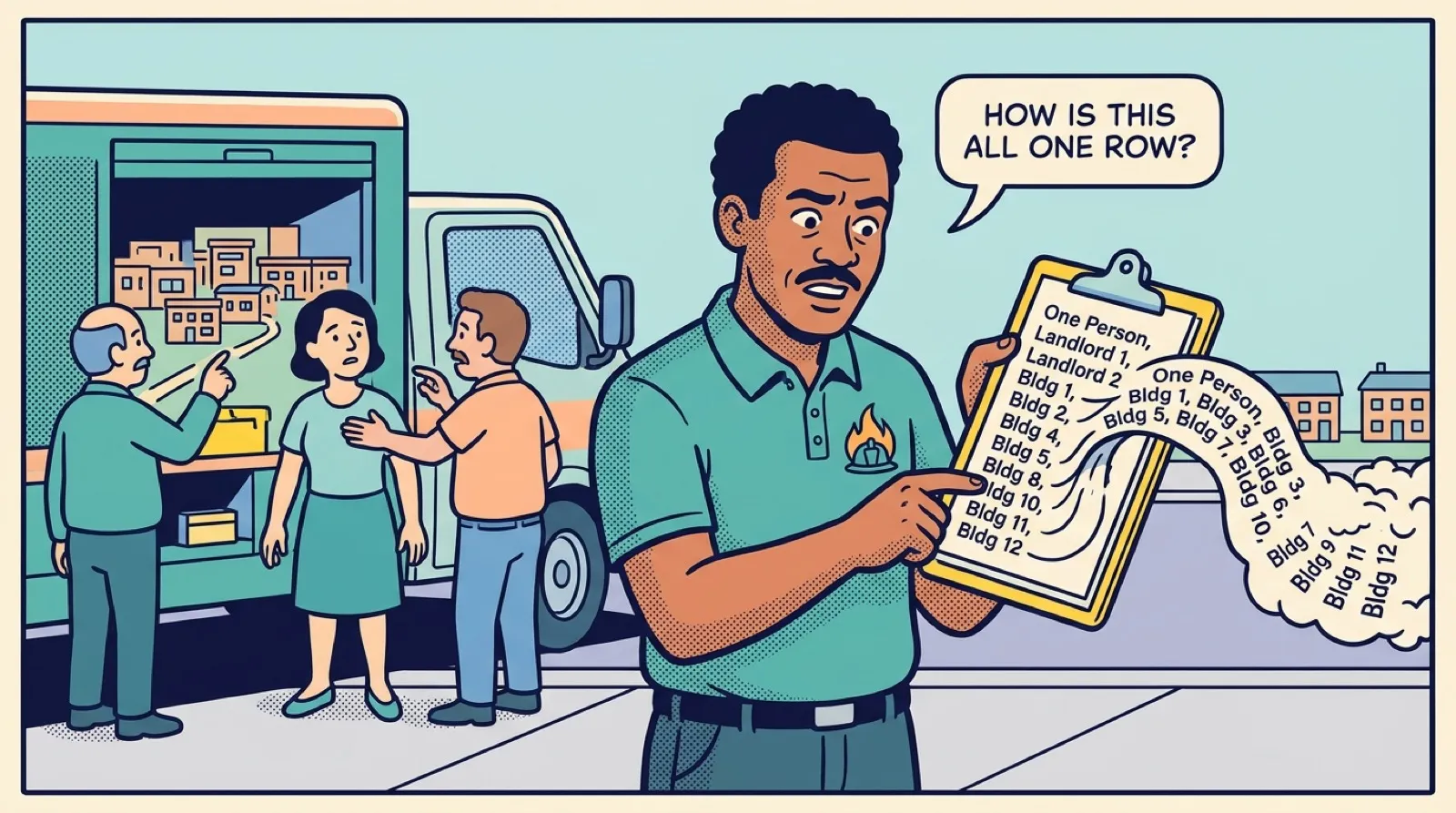
Here is an invented example. A fire safety firm that services extinguishers and alarms has an old spreadsheet with one row per customer. One of those rows is a property manager who looks after twelve apartment buildings for two different landlords. All of it sits in one cell, along with a note that says see Dan about the gate code.
Now the firm needs to answer ordinary questions. Which buildings are due a visit this month? Which landlord pays for which building? Who do we call at each one? A single row can't answer any of those.
So they draw it out:
- The two landlords become company records.
- The property manager becomes a contact, linked to both landlords.
- Each annual inspection contract becomes a deal.
- The twelve buildings are the awkward part.
A building isn't a person, a company or a sale, but there are twelve of them, and each has its own address, gate code and service history. By our test, it deserves its own record. This is the most common reason to look beyond the basic five.
When do you need a custom record?
A custom record is a type you define yourself, such as Property, Vehicle, Pet or Student. Some CRMs include them on every plan, some charge more for them, and some don't offer them at all.
Think about what you would attach to it. If you serve the same thing again and again and its history matters, it probably needs a record.
| Business | The extra thing | Why it may need a record |
|---|---|---|
| Fire safety firm | Property | Each one has an address, access notes and visit history |
| Boarding kennel | Pet | One owner, two dogs, different diets and different notes |
| Tutoring company | Student | One parent pays for two children in different subjects |
| Mobile mechanic | Vehicle | One customer, three vans, each with a service record |
If only a small number of your customers have more than one of the thing, you can often get by with a simple field and a note. A boarding kennel whose clients nearly all own one dog may be fine with a Pet name field, at least at first. Don't build a structure for an exception that happens twice a year.
Watch out
Be slow to add custom records. Each one is another screen, another thing to import, and another thing your team has to learn. Two good custom records can transform a business. Eight will leave people unsure where anything goes. If you can't name a weekly question the new record would answer, leave it out.
If you sell to households
If your customers are homeowners, parents or pet owners, a Company record adds a step and gives you nothing back. Some CRMs insist on one. Others let you run on contacts and deals alone. A roofer who mainly serves homeowners might skip companies altogether, then add one or two for the property managers he works with.
If a product forces every contact into a company, you can end up with thousands of company records named after people. That is a real annoyance, so test it in your trial.
Don't worry about getting this perfect on day one. You can add a record type later. Taking one apart after people have used it for a year is much harder, so when in doubt, start small.
Do this on paper first
Before you touch any settings, take a sheet of paper and do these four things.
- Write down each thing you keep track of, in your own words.
- Apply the test: can there be more than one, with its own details?
- Draw lines between the records and read each one out loud.
- Take your three messiest real customers and check that each one fits the map.
That last step matters most. Your tidy customers will fit any design. The customer with two addresses, a business partner and a separate bill is the one who shows you what's missing. If you need a platform that lets you define your own record types and link them, Coeffection is one option, along with others. It is built for teams of roughly 20 to 200 people. A small team with the plain five records should pick something simpler.
Key takeaways
- If there can be more than one of something and each has its own details, it is a record. If there is only one, it is a field.
- Most small businesses need contacts, companies, deals, activities and tasks. Household businesses can often drop companies.
- Add a custom record only when it answers a question you ask every week.
- Draw your map on paper and test it against your three messiest customers before you set anything up.
Common questions
Do I need a company record if I sell to households?
Not always. A company record can add a step and give you nothing back when your customers are homeowners or parents. Some CRMs insist on one, so test that in your trial.
How do I know if something deserves its own record?
Ask whether there can be more than one of it, and whether each one has its own details. If there is only ever one, it is a field on another record. A customer has one birthday, but may have five quotes.
What is the difference between one to many and many to many links?
One to many means one company can have many contacts. Many to many means each side can have several links, like an accountant who looks after four of your customers. Not every CRM handles many to many well, so check it in your trial if it matters to you.
Keep your place and test yourself
Enroll for free to save your progress, take the chapter quiz, and get a certificate when you pass every chapter. The lessons stay open to everyone either way.