

Chapter 3: Setting Up Your Data
Duplicates and Naming Rules
Duplicates split a customer's history across records, and they multiply quietly. A short naming rule and a monthly cleanup keep them under control.
Lesson 7 of 8 · 6 min read ·
A duplicate is one customer stored as two or more records. It looks harmless. Then a salesperson calls someone who complained to your office yesterday, because the complaint is on the other record. Or two people quote the same customer at different prices. Or you send a customer the same email twice and they wonder if you've got your act together.
Duplicates also damage your numbers. If one customer shows up three times, your customer count is too high, your average sale is too low, and the history you are relying on is in pieces.
You won't get to zero. The aim is to make them rare and to catch them quickly.
How do duplicates get in?
Knowing where a duplicate came from tells you where to put the fix.
- Imports. A spreadsheet joins a system that already has some of the same people.
- Web forms. A customer fills in your form with a different email from the one you have.
- Email sync. A new address from a known customer creates a new contact.
- Hurry. Someone adds a record without searching first, because the phone is ringing.
- Name variants. Robert, Rob and Bob are the same man to you and three different people to the software.
Here is an invented example. An electrician has a customer named Robert Hale. The office added Robert Hale from an invoice. An electrician on site added Bob Hale from his phone. Then a web enquiry created R. Hale at Hale Properties. His repair history is on one record, his quote is on another, and his new enquiry is on a third. When he calls and asks about the quote, nobody can find it quickly.
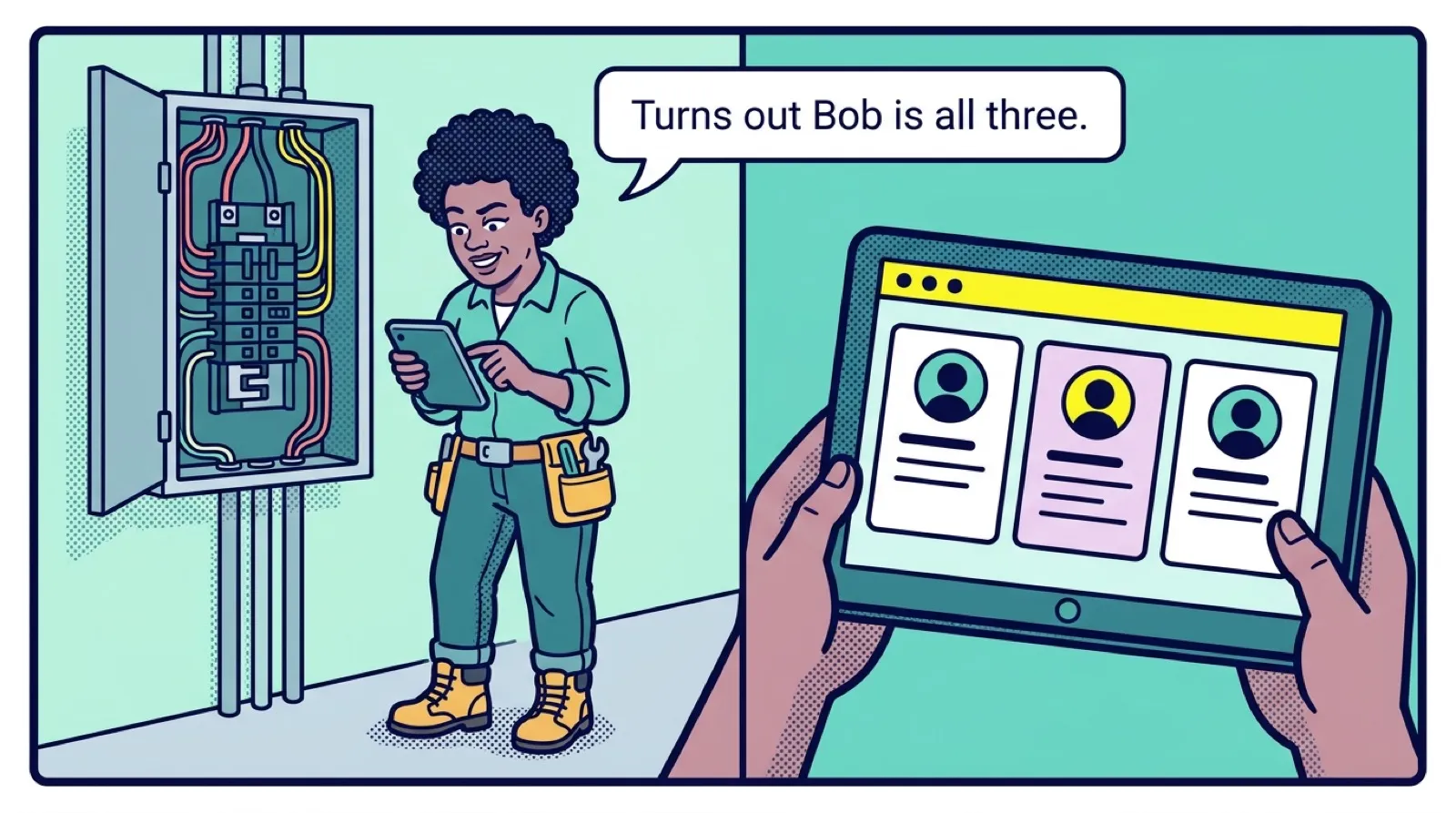
What two habits prevent most duplicates?
Search before you add. Make this the rule for everyone. Search by phone number or email first, because those are unique and names aren't. It takes a few seconds, and it is the most useful data habit your team can build.
Add details to the existing record. If the customer has a new email, add it as a second address on their record. Don't make a new contact. If a person changes jobs, update them or add them to the new company, keeping their history.
Write naming rules
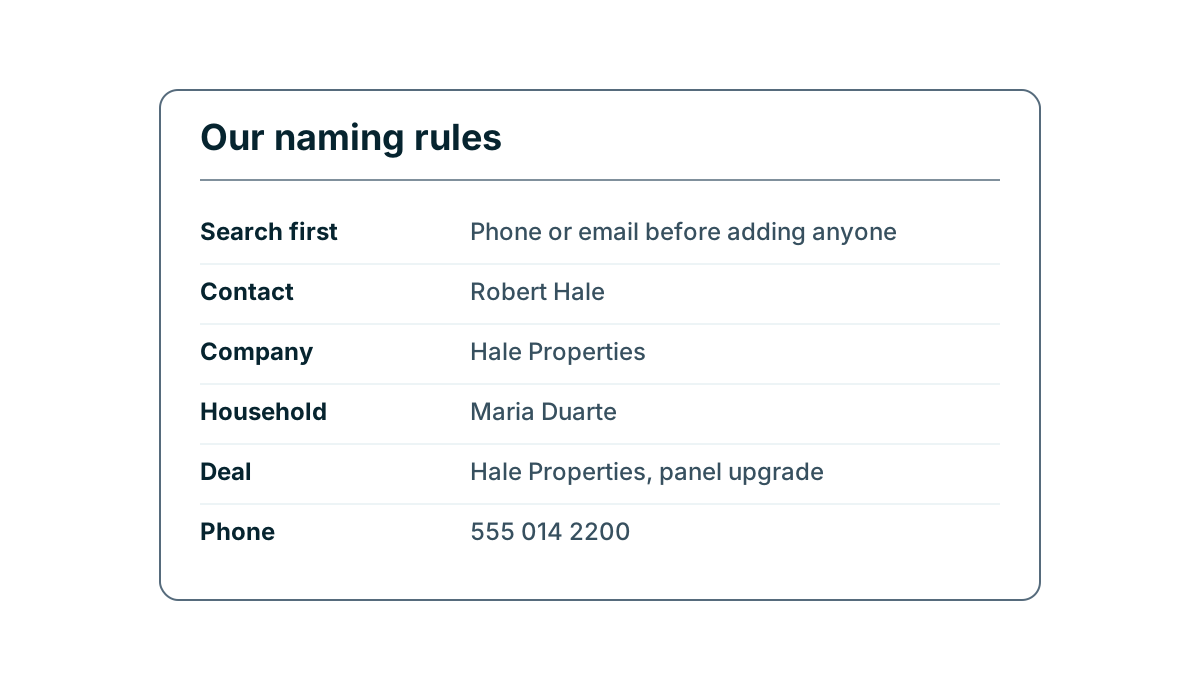
A naming rule is a short agreement about how things get written, so that everyone types the same thing. It makes search work, and it makes duplicates easy to spot. Put it on one page and keep it to what really matters.
| Thing | Rule | Good | Avoid |
|---|---|---|---|
| Contact | Full legal first name, last name | Robert Hale | Bob H, bob hale, Mr Hale |
| Nickname | Goes in its own field or a note | Known as Bob | Robert Bob Hale |
| Company | Full trading name, no LLC or Inc | Hale Properties | HALE PROP, Hale Properties LLC |
| Household | Use the person who pays | Maria Duarte | The Duartes |
| Deal | Customer, then the job | Hale Properties, panel upgrade | New deal, Bob's job |
| Phone | One format, with area code | 555 014 2200 | 5550142200 ext Tom |
The deal rule deserves special attention. A pipeline board full of cards labeled Quote and New job is no use to anyone. Customer plus job means anyone can tell what a card is at a glance, and one customer's second deal stays separate from the first.
Abbreviations cause the same trouble as nicknames. Decide whether it is Saint or St, Street or St, and Company or Co, and write it down. You need only a handful of rules. If your rule sheet runs past a page, nobody will read it.
Which duplicate tools does your CRM have?
Most CRMs have some duplicate features, though they vary widely. Find out which of these yours has, and what plan they come on.
- A warning when you add a record that matches an existing one.
- Unique fields, so the system refuses a second record with the same email.
- A duplicates report or view that lists likely matches.
- A merge action that combines two records and keeps both histories.
- Matching rules for imports, so existing records get updated rather than copied.
Matching on email or phone is reliable. Matching on names is not. Two people can share a name, and one person can have several. Be careful with shared addresses too. If a whole office uses info@ or a married couple shares one email, an exact email match may merge two real people.
How to merge safely
Merging is the fix once a duplicate exists. It's usually hard or impossible to undo, so take a moment before you press the button.
- Check it's the same customer. Look at the phone, the company and the address. Two people named John Smith may be just that.
- Choose the surviving record. Pick the one with the most history.
- Check what happens to conflicts. If each has a different phone number, which one stays? Copy any important one into a note first.
- Check the linked items. Deals, tasks and activities should move across. Test this with one unimportant pair first.
- Check other systems. If the customer is linked to your accounting software, a merge may break that link. Ask before you merge records that have invoices attached.
Tip
Set a recurring task for the same day each month, and give one person the job of working through likely duplicates. Fifteen minutes a month is far easier than a two-day cleanup after a year of drift. In a small business, that person should be whoever knows the customers best, not whoever is newest.
Be careful about merging companies as well as people. Two branches of one firm may look like duplicates but need separate addresses and separate billing. Ask how the customer thinks of itself before you combine them.
How do you stop duplicates from coming back?
When you find a batch of duplicates, ask where they came from. If they all came from your web form, the form may be set to create a new contact each time. If they came from one person's phone, that person may not be able to search easily while on a job, which is worth fixing. Cleaning up duplicates without closing the door they came through means you will do the same job next month.
Key takeaways
- Duplicates split a customer's history and throw off your numbers.
- Search by phone or email before adding anyone, because those are unique and names aren't.
- Write a one-page naming rule covering contacts, companies, deals and phone numbers.
- Merge carefully. Check it's the same customer, pick the surviving record, and test on an unimportant pair.
- Give one person a monthly duplicates job, and fix the source of each batch you find.
Common questions
Why do duplicate contacts cause problems in a CRM?
A duplicate splits one customer's history across records. A salesperson may call a customer who complained yesterday, because the complaint sits on the other record, and your customer count ends up too high.
What is the fastest way to stop duplicate records?
Search by phone number or email before you add anyone. Those are unique, and names are not.
Can you merge duplicate records safely?
Yes, if your CRM has a merge action, but merging is usually hard or impossible to undo. Check it is the same customer, pick the record with the most history, and test on an unimportant pair first.
Keep your place and test yourself
Enroll for free to save your progress, take the chapter quiz, and get a certificate when you pass every chapter. The lessons stay open to everyone either way.