

Why Use AI in a CRM, and What It Can Really Do
AI in a CRM is useful for reading and drafting, and unreliable as a source of facts. Here is why you might use it, when to leave it alone, and what to expect from it.
Lesson 1 of 8 · 7 min read ·
Nearly every CRM now advertises AI. The word covers a lot of different things, from a useful button that summarizes a long email thread to a promise that the software will somehow run your sales for you. This chapter tries to separate those, starting with the plainest question: why use it at all?
This field changes quickly, and products differ a lot, so we won't tell you what any specific product or model can do. Treat any vendor's claims, including ours, as something to check on your own data.
Why would you use AI in a CRM at all?
A CRM holds a lot of text. Emails, call notes, visit notes, quotes and complaints pile up on every record. Most of the work of using a CRM is reading that text, finding the bit you need and writing something back. That's slow, and it's the part people skip when they're busy.
AI is good at exactly that kind of work. So the honest reasons to use it are modest ones:
- Less reading. A summary of a long thread before you ring a customer back.
- Less typing. A first draft of a follow-up that you edit and send.
- Less hunting. A question in plain words, such as which quotes over $5,000 are still open, instead of building a filter.
- Less retyping. Details pulled from an email into the right fields.
None of these change how you sell. They give back minutes, many times a day. That's a good enough reason. Be wary of any pitch that promises more.
How does AI in a CRM actually work?
Most AI features in business software today use a language model. Put simply, it has learned patterns from a huge amount of text, and it predicts what words should come next. That makes it surprisingly good at handling language. It reads, summarizes, rewrites and sorts text well.
It also explains the main weakness. A language model produces text that sounds right, and sounding right isn't the same as being right. When it lacks a fact, it may fill the gap with something plausible, in the same confident tone. People call this a hallucination, and you should plan for it to happen sometimes, even in a good product.
Two more limits follow from that. First, it knows only what it is given. If the visit notes never made it onto the deal, the AI can't use them. Second, it can sound sure of itself in any case, so its tone tells you nothing about whether it's correct.
Where does AI tend to help in a CRM?
| Job | Why it fits | What you still check |
|---|---|---|
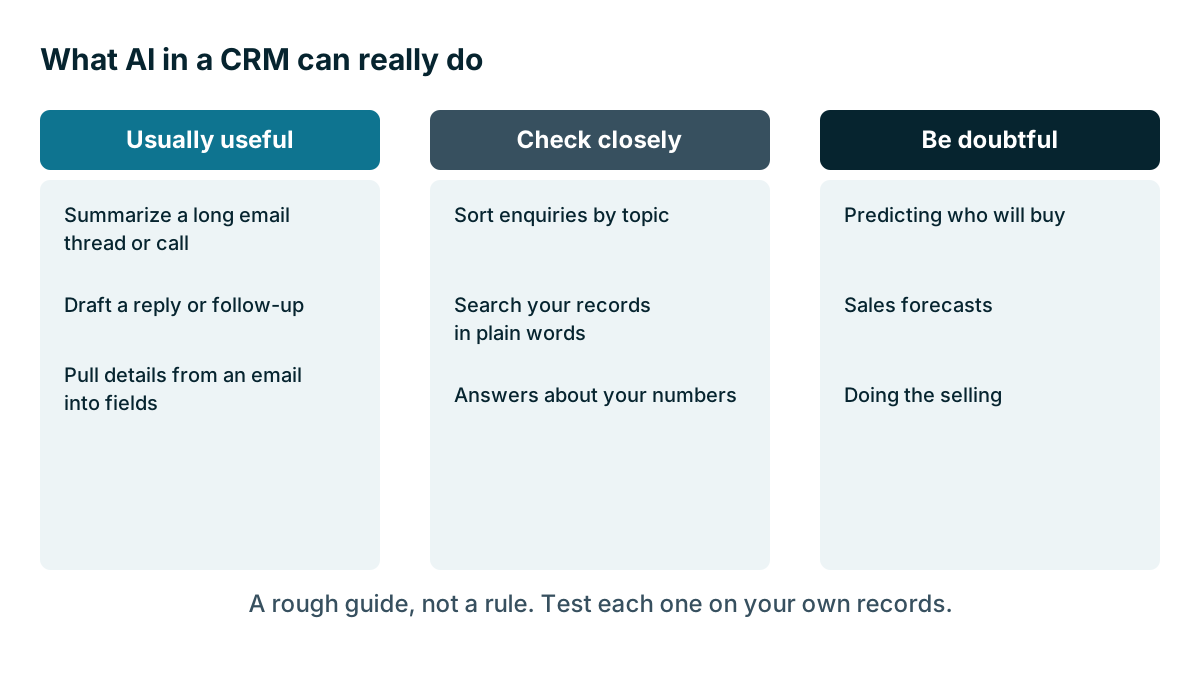
| Summarize a long email thread or call | Reading text is its strength | Names, dates, amounts, promises |
| Draft a reply or follow-up | A first draft saves typing | Tone, facts, anything promised |
| Pull details from an email into fields | Finding an address or a phone number is routine | Correct field, correct record |
| Sort enquiries by topic | Sorting text into a few groups works fairly well | A sample, now and then |
| Search your records in plain words | Handy when you can't recall a name | That it found everything |
These all have something in common. The text already exists, or a person is about to read what comes out.
Where to be doubtful
Predicting who will buy. Lead scoring and win prediction depend on having lots of past deals with clean data. A small firm with a few hundred deals and patchy stages may not have enough to learn from. Ask how a score is worked out. If nobody can tell you, treat it as decoration.
Sales forecasts. A forecast built on deals that nobody updates is a confident guess. The next chapter, on reports, will serve you better than a forecast button.
Reporting from a question. Asking your CRM how many deals you won last month is a great idea. Check the answers, though. The AI has to turn your words into a query, and it may define won, last month or deal differently from you.
Doing the selling. Tools that claim to write and send sequences by themselves, or to talk to customers for you, carry the biggest risk. Later lessons in this chapter, on keeping a person in the loop and on AI agents, look at how far to let software go alone.
Understanding your business. It doesn't know your trade, your customers or why a certain site manager is difficult, unless someone wrote that down.
When should you leave AI alone?
There are good reasons not to use AI yet, and none of them are old-fashioned.
Your records are thin. The most useful thing you can do to get ready for AI has nothing to do with AI. Log calls. Write clear notes. Keep stages up to date. A model reading a well-kept record does useful work. A model reading a record with no notes will produce a tidy paragraph about nothing, or worse, fill in the blanks.
You're in your first year with a CRM. You lose very little by leaving AI features alone until your team has the basics.
The volume is small. If you get five enquiries a week, the time saved may not cover the cost, or the checking.
The work is sensitive. Health details, legal matters and money disputes need care. The next lesson covers what should never go into an AI tool.
Nobody will check it. If there's no one with time to read what it produces, the errors will go out unchecked. That's worse than no AI at all.
Here is an invented example. A two-person upholstery repair business gets about ten enquiries a week, and the owner already answers them from her phone between jobs. AI drafts would save her a few minutes a week, and she would still have to read each one. She decides to wait, and to spend that time keeping her notes up to date instead. A year later, with a third person and twice the enquiries, the sum may look different.
Watch out
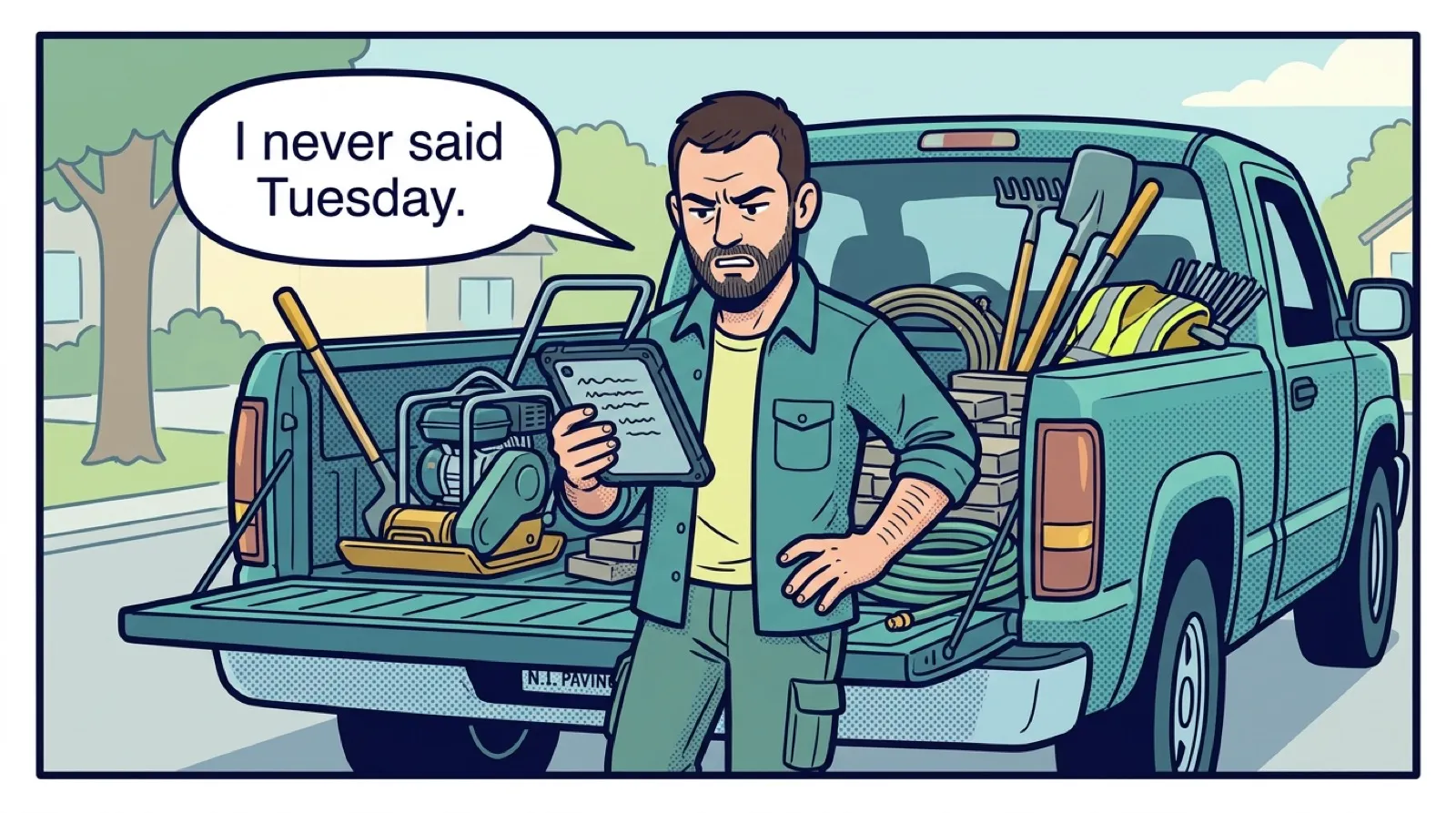
An AI summary saved to a record can become the official version of what happened. Six months later, nobody remembers that it was a machine's summary and that it was never checked. Mark AI text as AI text wherever you can, and keep the original source.
Judge it on your own records
Don't judge AI from a demo. A demo is the best-case data, picked by the seller. Use the method from Chapter 2: a real test with real work. The last lesson in this chapter walks through a simple test you can run in an afternoon.
Then weigh the cost against the time it saves, and be honest about checking time. AI output that needs a careful read saves less than it first seems. The lesson on built-in and connected AI covers what it's likely to cost.
If you want a safe place to start, use summaries and draft replies, with a person reading all of it.
Key takeaways
- The good reasons to use AI in a CRM are modest: less reading, typing, hunting and retyping.
- AI is usually good at language, can state wrong things confidently and knows only what it was given.
- Be doubtful of predictions and forecasts built on small or messy data.
- Leave it alone if your records are thin, your volume is small or nobody has time to check what it writes.
Common questions
Can AI in a CRM make up facts?
It can. A language model produces text that sounds right, and sounding right isn't the same as being right. Plan for that to happen sometimes, even in a good product.
Is AI worth it if we only get a few enquiries a week?
It may not be. If you get about five enquiries a week, the time saved may not cover the cost, or the checking. Leaving AI features alone until your team has the basics loses you very little.
Can I trust an AI sales forecast?
Be careful. A forecast built on deals that nobody updates is a confident guess, and predicting who will buy needs lots of past deals with clean data.
Keep your place and test yourself
Enroll for free to save your progress, take the chapter quiz, and get a certificate when you pass every chapter. The lessons stay open to everyone either way.