

Using AI Safely with Customer Data
Your customers trusted you with their details, not every tool you try. Here is what to ask vendors, what never to paste into a chatbot, and a one-page policy your team can follow.
Lesson 2 of 8 · 7 min read ·
The fastest way to get into trouble with AI has nothing to do with a CRM. An employee who wants to save time copies a customer's email, or a whole spreadsheet, into a free chatbot on a personal account. The intention is good. The customer's details have now gone to a company you have no agreement with, and you may never know it happened.
This lesson gives you simple rules for the data. It's general guidance, not legal advice. Privacy laws vary by country and by trade, and some sectors, such as healthcare, have strict rules of their own. If you handle sensitive information, ask a professional before you turn on anything that reads it.
Sort your data first
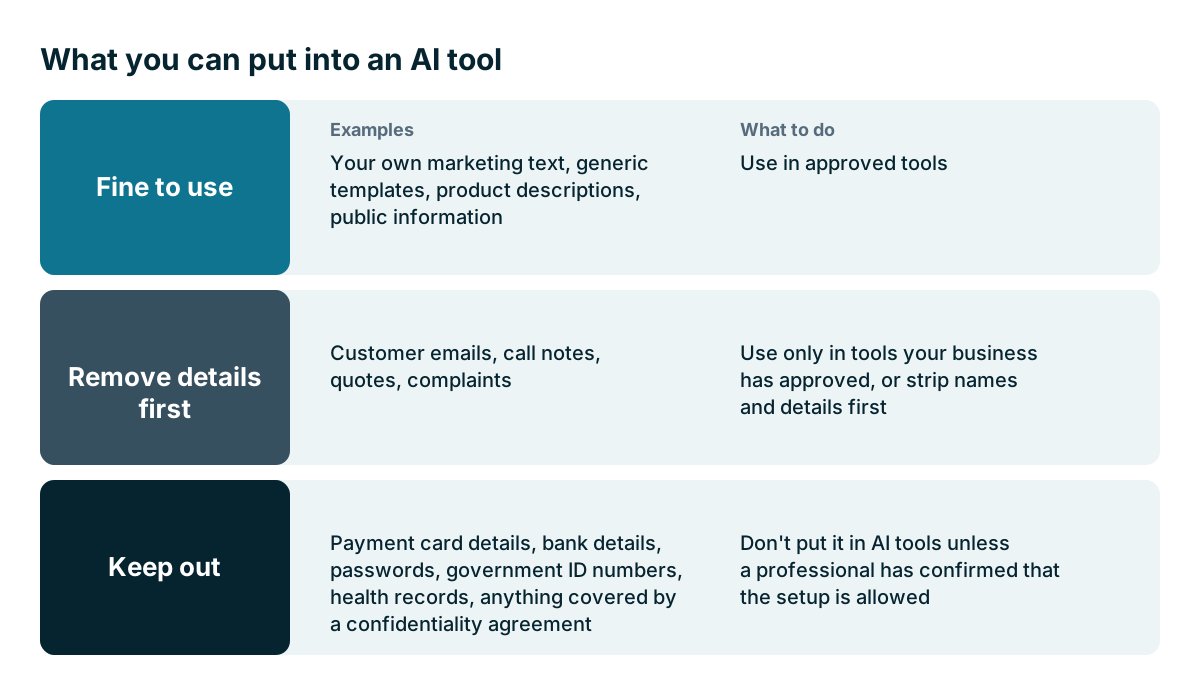
You don't need a data policy written by a law firm to start. You need to know what's sensitive. Most small businesses can sort their information into three groups.
| Group | Examples | What to do |
|---|---|---|
| Fine to use | Your own marketing text, generic templates, product descriptions, public information | Use in approved tools |
| Remove details first | Customer emails, call notes, quotes, complaints | Use only in tools your business has approved, or strip names and details first |
| Keep out | Payment card details, bank details, passwords, government ID numbers, health records, anything covered by a confidentiality agreement | Don't put it in AI tools unless a professional has confirmed that the setup is allowed |
Can staff use personal AI accounts for work data?
The main difference between an approved tool and a personal account is whether your business has an agreement with the provider. A tool inside your CRM, or a business account with an AI provider, comes with terms you can read and settings an admin controls. A personal free account usually doesn't, and the terms may be quite different.
The simple rule: work data goes only in tools the business has approved, on business accounts. If staff keep reaching for a personal chatbot, take that as a sign that they have a real need. Give them an approved way to do it, and the workaround goes away.
What should you ask an AI vendor before you switch it on?
Get these answers in writing before you turn on AI features. Look for them in the vendor's data processing agreement and security pages, then ask if you can't find them.
- Does our data go to another company to run this feature? Which ones?
- Is our data used to train models? Can we refuse?
- How long is the text we send kept, and by whom?
- Where is it processed and stored?
- Does the AI see only what the logged-in user is allowed to see?
- Can an admin turn features on and off, by feature and by role?
- Is there a log of what the AI read and did?
The access question is easy to overlook. Say your sales reps can't see each other's deals, or your salaries sit in a restricted field. An AI assistant that can read everything may hand that information to someone who asks a clever question. Test this directly. Log in as a junior user and ask for something that user shouldn't be able to see.
If a vendor can't answer these questions, take that as an answer. If you connect an outside AI tool to your CRM yourself, the same questions apply to that tool, and a later lesson in this chapter covers how to set up that connection safely.
A worked example
Here is an invented physio clinic with four staff. The practice manager wants help drafting replies to enquiries, and she has seen how good a chatbot is at writing polite emails.
She starts by sorting the data. Questions about opening hours and prices are harmless. Anything mentioning a patient's condition or treatment is health information and falls into the third group.
So the clinic takes the cautious route. It uses AI only to write general templates, such as how to reschedule, what to bring to a first visit and how to explain pricing. No patient details go in at all. The templates sit in the clinic's own system, and staff fill in the details by hand.
That captures much of the time saving with very little of the risk. If the clinic later wants AI to read patient messages, that's a separate decision, with advice from someone who knows the health privacy rules where it operates.

What details should you remove before you paste?
When you do use text in an approved tool, get into the habit of taking out what the AI doesn't need. It usually needs far less than you think.
- Change names to Customer A or the site manager.
- Take out addresses, phone numbers and account numbers.
- Round or remove amounts, unless they are the point.
- Remove details that identify someone, such as a rare job title in a small town.
A request such as write a polite reply to a customer who is unhappy about a two-day delay works just as well without the customer's name.
Calls, recordings and being honest
AI note-takers need a recording or a transcript. Laws on recording calls differ, and some places require everyone on the call to agree. Tell people when you are recording, and find out the rule where you and your customers are. Telling people is also just good manners.
Check any customer contracts too. Larger customers may have terms about where their information can go. It's better to find that out from reading the contract than from an angry email.
What is prompt injection, and when does it matter?
Here is a risk that many owners haven't heard about. If an AI reads incoming emails or web forms, then anyone who can send you text can put instructions in front of it. An email might contain hidden wording that tells the assistant to ignore its rules. This is known as prompt injection.
It matters most when the AI can act: send emails, change records or look up other customers. An assistant that only drafts a reply for a person to read is much lower risk. The lesson on AI agents later in this chapter covers how to set limits when the AI can act.
Watch out
Plan for a mistake before it happens. If customer data ends up in the wrong place, you may have legal duties to act and to tell people, and those can have deadlines. Know who you would call before you need them.
What should a one-page AI policy cover?
Write a one-page policy, get everyone to read it, and look at it twice a year.
- The tools we have approved, and who approves new ones
- Work data stays on business accounts
- What never goes into any AI tool
- Everything sent to a customer is read by a person first
- AI text is checked for names, dates, amounts and promises
- Who to tell, and how fast, if something goes wrong
Keep it short enough to fit on one page. People follow rules they can remember.
Key takeaways
- Sort your data into fine to use, remove details first and keep out.
- Work data goes only in approved tools on business accounts.
- Ask vendors in writing about training, retention, access and logs, and test access as a junior user.
- Be wary of AI that reads outside text and can act, and keep a one-page policy your team follows.
Common questions
Do I need a lawyer before my team uses AI with customer data?
You don't need a law firm's policy to start. Privacy laws vary by country and trade, though, so if you handle sensitive information, ask a professional before you turn on anything that reads it.
Can staff paste customer emails into a personal chatbot account?
Work data should not go into a personal account. Personal free accounts usually have terms that differ from business accounts, and the customer's details may end up with a company you have no agreement with.
What should I do if customer data ends up in the wrong place?
Know who you would call before you need them. You may have legal duties to act and to tell people, and those can have deadlines.
Keep your place and test yourself
Enroll for free to save your progress, take the chapter quiz, and get a certificate when you pass every chapter. The lessons stay open to everyone either way.