

Built-In AI or an Outside AI Tool?
You can use an AI assistant that comes inside your CRM, or connect an outside AI tool to it. Here is what each one does well, where each falls short and what each is likely to cost.
Lesson 3 of 8 · 7 min read ·
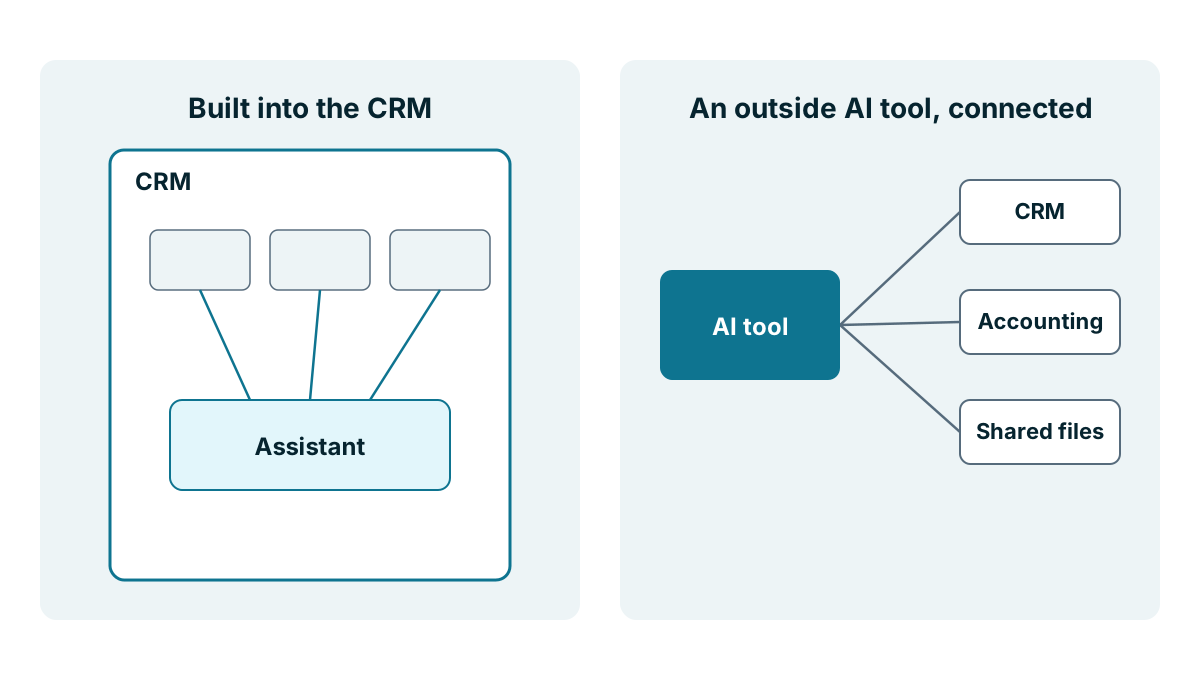
There are two common ways to get AI working with your customer records. The first is an assistant built into the CRM itself. You open a panel, ask a question and get an answer about your own deals and contacts. The second is an outside AI tool, such as a general chat assistant your team already uses, connected to the CRM so it can read your records and sometimes change them.
Both can be useful. They suit different businesses, and they carry different risks and costs. This lesson sets them side by side so you can pick on purpose, rather than by whichever one you happened to see first.
What is a built-in AI assistant?
A built-in assistant is part of the product. The vendor chose the AI model, wired it to your records and decided what it can do. Coeffection, which publishes this course, has one of these, called Grace, which answers questions about your records in plain English and follows each user's roles and permissions. Many other CRMs have their own, and some have none.
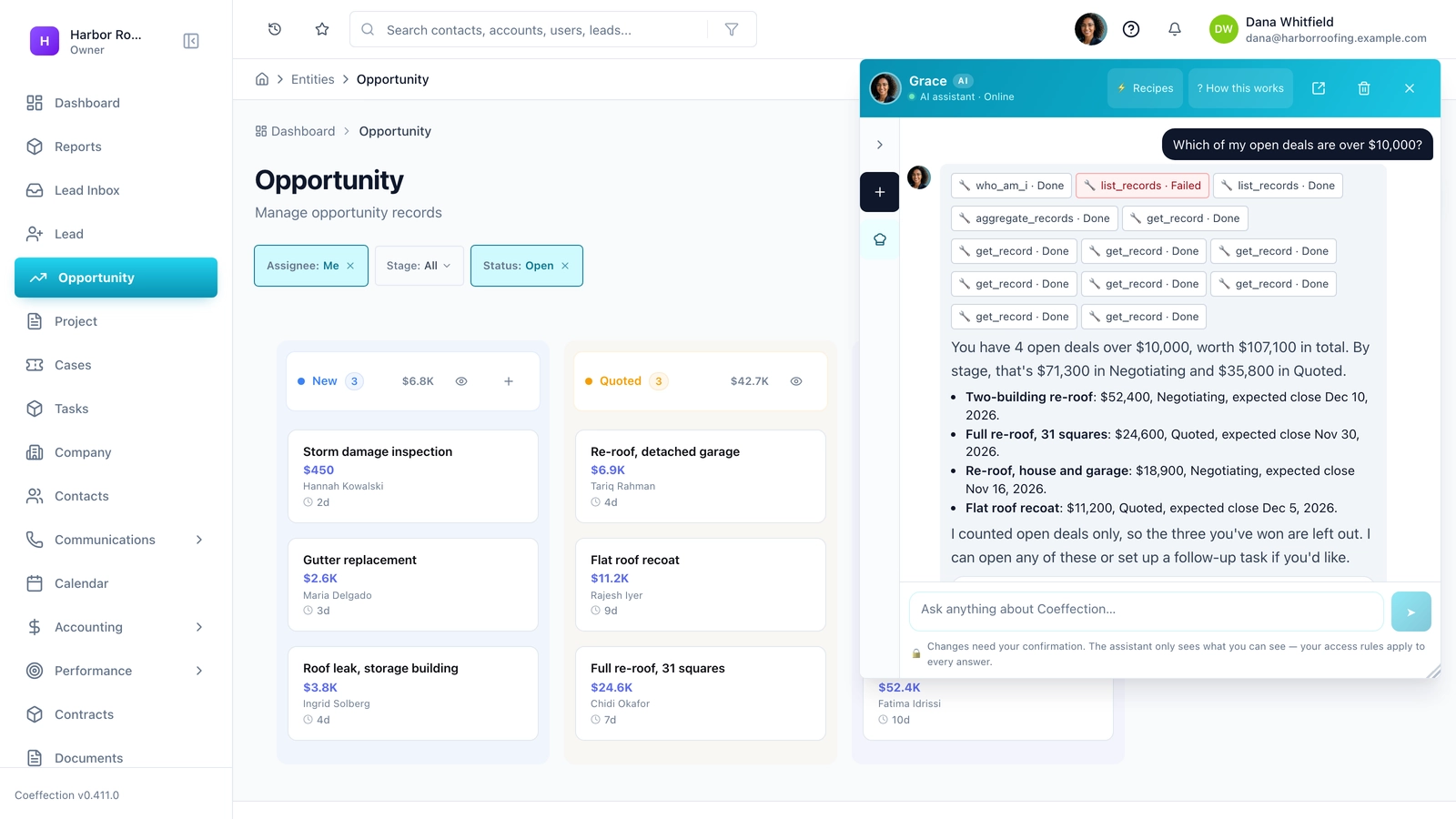
What it does well. It already knows your records, your fields and your stages, so there's little to set up. It can follow the same permissions as the person asking, so a sales rep shouldn't see a deal through the assistant that they can't see on screen. Your data stays with a vendor you already have an agreement with. And there is usually one admin screen to turn it on, limit it or turn it off.
Where it falls short. It sees only what's in the CRM. If the answer lives in your accounting system or your shared drive, it can't reach it, unless the CRM already connects to those. You get the model and features the vendor picked, and those can change when the vendor updates the product. It also locks the habit to one product. If you move CRMs later, the assistant doesn't come with you.
What is a connected outside AI tool?
An outside AI tool is a product that lives outside your CRM. It might be a chat assistant on business accounts, or an automation tool with AI steps. You connect it to the CRM through an integration, so it can look things up and, if you allow it, make changes. Some of these connections use an open standard called MCP, which the next lesson explains.
What it does well. One assistant can work across several systems at once. It could read a deal in the CRM, check an unpaid invoice in your accounting system and draft an email, all from one conversation. You choose the tool, and you can change it without changing your CRM. If your team already uses an AI tool for other work, they don't have to learn a second one.
Where it falls short. Somebody has to set it up and look after it. That means deciding what it can read and change, which login it uses, where the key is kept and who checks what it did. Your customer data now goes to a second company, with its own terms. It may not understand your custom fields or what your stage names mean. And the permissions are whatever you set on the connection, not automatically the same as the person typing.
What does each one cost?
Pricing changes often and differs by vendor, so treat these as questions to ask, not figures to expect.
| Cost | Built in | Connected outside tool |
|---|---|---|
| Subscription | Often an add-on per user, a higher tier or a credit allowance | A seat for each person using the AI tool, plus any connector tool |
| Usage | Credits or monthly limits may apply | Some tools charge by how much they're used, which can vary month to month |
| CRM plan | Usually none beyond the plan that includes AI | Some CRM plans limit access for outside tools to higher tiers |
| Setup time | Low | Real, and it needs someone who understands permissions |
| Upkeep | The vendor's job | Yours, including keys, connections and checking logs |
The hidden cost of the connected route is the person who looks after it. If that's you, count your hours. If it's a contractor, count their bill. And if nobody owns it, it will drift until something breaks.
A worked example
Here is an invented marquee hire business with eleven staff. The owner wants two things. Her sales team keeps asking the office which quotes are still open and who last spoke to a customer. And she wants a weekly note that matches won deals against unpaid deposits in the accounting system.
She tries the built-in assistant first, on her CRM's trial of the AI add-on. It handles the first need well. Reps ask about their own quotes in plain words, and they only see their own deals. It can't do the second, because deposits live in the accounting system and the assistant can't see them.
For the deposit check, her bookkeeper suggests a business account with an outside AI tool, connected to both systems. It could work. But it means a new login for the AI, a decision about what it may read, a key to keep safe and a second company holding customer and payment details. For one weekly report, she decides that's too much. The bookkeeper builds a simple saved report in each system instead, and they compare the two on Monday mornings.
So she ends up with the built-in assistant for the daily questions and no outside tool for now. If the business grows to the point where a dozen cross-system questions come up each week, she'll look again.

How to choose
- Most of your questions are about what's in the CRM: start with a built-in assistant, if your CRM has one
- Many questions need two or three systems at once: consider a connected outside tool
- Nobody on the team can own permissions and keys: stay with built in, or wait
- You handle sensitive data: fewer companies holding it is better, so lean toward built in or neither
- You may change CRMs soon: don't build habits around either one yet
Tip
Whichever route you pick, test it as a junior user, not as the owner. Ask it for something that person shouldn't see, such as another rep's deals or a restricted field. If it answers, fix the permissions before anyone relies on it.
Key takeaways
- A built-in assistant knows your CRM well, follows its permissions and needs little setup, but sees only the CRM.
- A connected outside tool can work across several systems, but you set its limits, keep its keys and add a second company holding your data.
- Ask about add-ons, credits, seats, usage charges and whether your CRM plan allows outside connections.
- Count the hours of whoever looks after a connection, and test either route as a junior user.
Common questions
Can a built-in CRM assistant reach my accounting system?
Not usually. It sees only what is in the CRM, so if the answer lives in your accounting system or shared drive, it can't reach it unless the CRM already connects to those.
Does connecting an outside AI tool send my customer data elsewhere?
Yes. Your customer data then goes to a second company, with its own terms. The permissions are whatever you set on the connection, not automatically those of the person typing.
How is AI in a CRM usually priced?
Pricing changes often and differs by vendor. A built-in assistant may be an add-on per user, a higher tier or a credit allowance, and an outside tool usually needs a seat for each person using it.
Keep your place and test yourself
Enroll for free to save your progress, take the chapter quiz, and get a certificate when you pass every chapter. The lessons stay open to everyone either way.