

Automations That Go Wrong
Automations fail in a small number of predictable ways. Learn how loops, bad imports and silent failures happen, and how to catch them before your customers do.
Lesson 3 of 3 · 6 min read ·
A person who makes a mistake makes it once, then notices. A rule that makes a mistake makes it every time, all night, with total confidence. This lesson is a tour of the usual failures, so that you can recognize them early. All the examples are invented, and most of them will feel familiar to anyone who has run a CRM for a while.
Can a rule send the same email over and over?
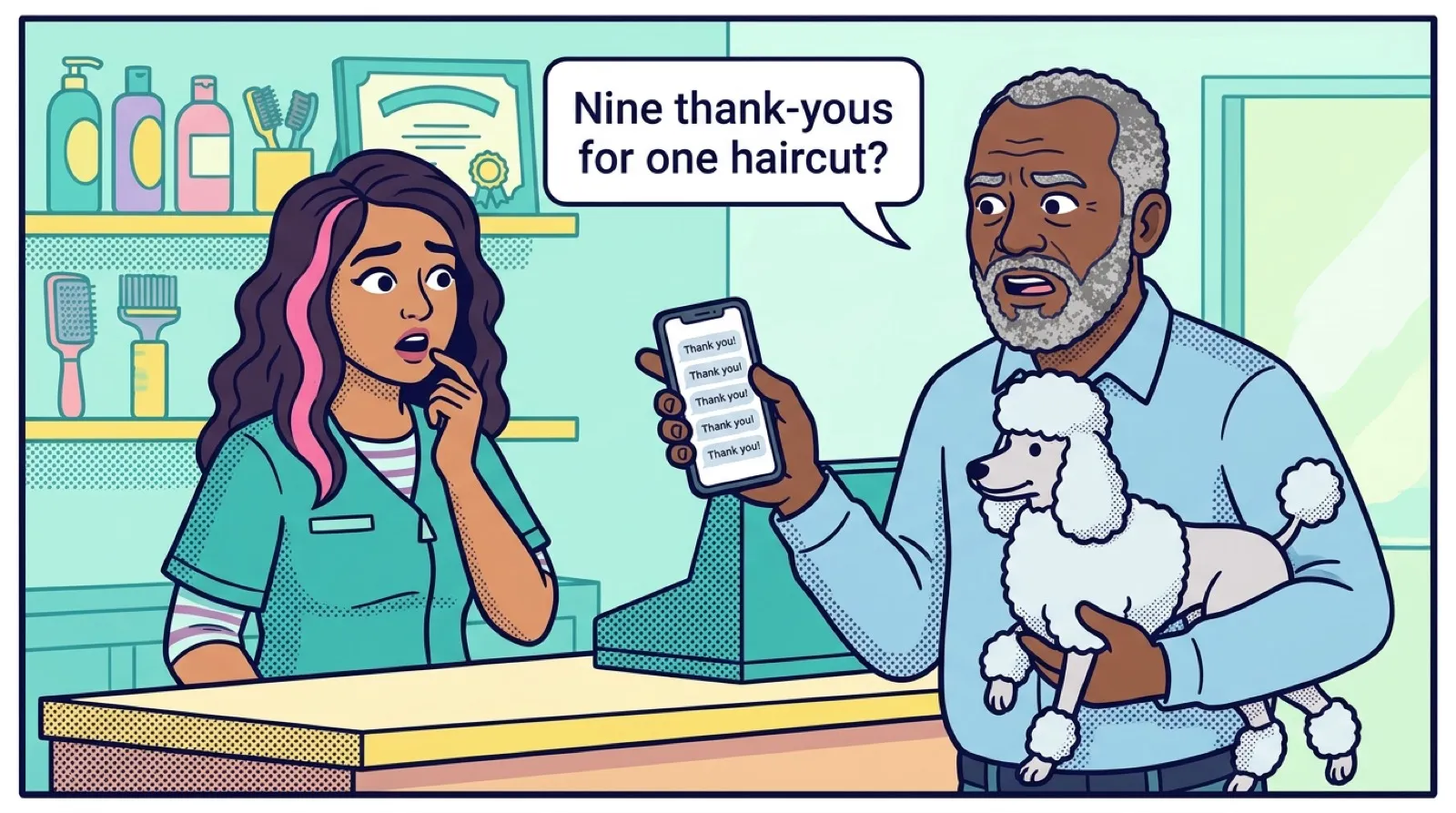
An invented catering firm sets a rule: when a deal moves to Booked, send the customer a thank-you and a booking summary. It works well. Then a deal gets moved back to Quoted because the date changed, and forward to Booked again. The customer gets a second thank-you. A few changes later they have four, and each has a slightly different date on it.
The fix is a check on whether this has happened before. Most builders let you limit a rule to once per record, or you can set a field such as Welcome sent and check for it.
What is a loop, and how do you stop one?
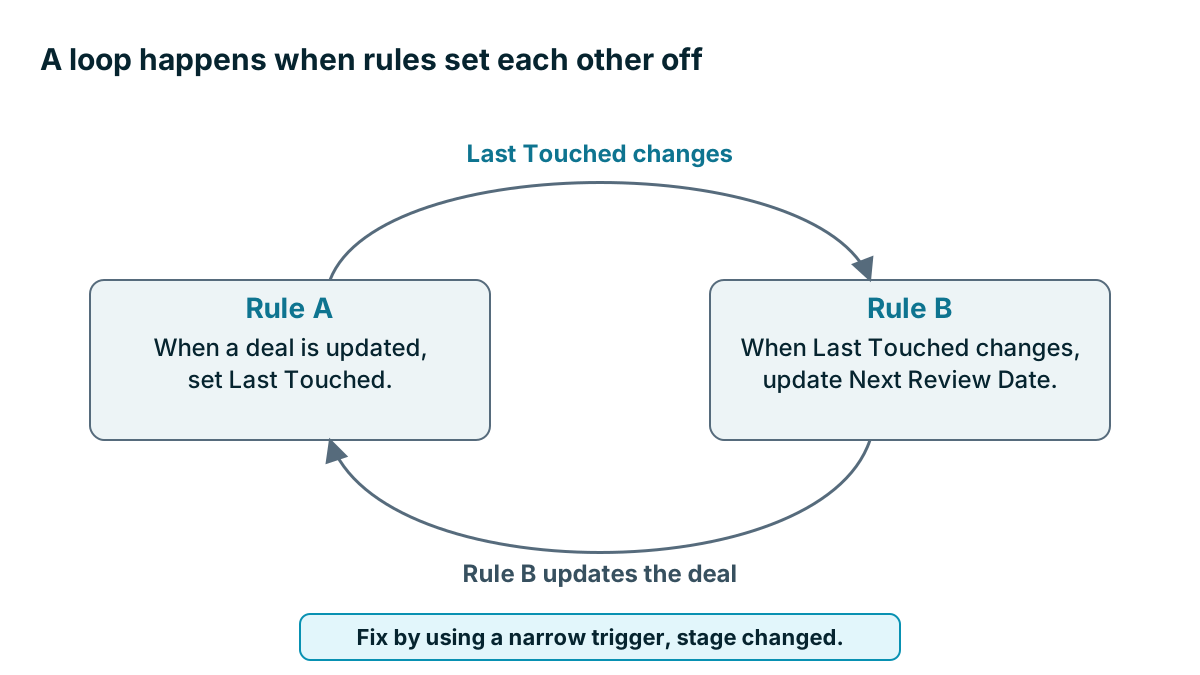
A loop happens when rules set each other off. Say rule A is: when a deal is updated, set Last Touched to today. Rule B is: when Last Touched changes, recalculate Next Review Date on the deal. Rule B updates the deal, which fires rule A, which changes Last Touched, and so on.
Many products have some protection against loops. Don't rely on it. The cure is narrow triggers. If rule A fires only when the stage changes, the loop can't start.
What happens when an import sets off your automations?
Importing old data is the classic way automations go wrong. An invented pool service moves to a new CRM and imports 2,000 old contacts. A rule says: when a contact is created, send a welcome email. In a few minutes, customers from years ago get a warm hello from a business they thought they knew. Some of them moved away long ago. The owner spends the week apologizing.
Turn off customer-facing automations before any import, bulk update or merge. Turn them back on one by one once you've checked the data. Put it on your import checklist. If your product lets you mark records as imported, or skip automations during an import, use that as well.
The rule with no stop
A sequence of follow-ups keeps sending after the customer replied, signed or complained. We covered the stop condition in the last lesson. Here is what it costs when it's missing. The customer gets a friendly nudge about the proposal that they said no to yesterday, and now they believe nobody reads anything at your company. In this case, they're right.
What if a field is empty in a customer email?
A template says Hi and then the first name. Half the records have no first name, or have CUSTOMER in capitals from an old import, so the email goes out reading Hi CUSTOMER. Check the data before you put a field into a customer message, and set a fallback such as Hi there.
Why do the worst automation failures go unnoticed?
Silent failures are worse than the loud ones, because nobody complains. A connection expires, a rule stops running, and for three weeks no new leads get assigned. An owner leaves, and their tasks pile up with no one to see them. A field gets renamed, and the rule that checked it quietly matches nothing.
The danger is that an automation changes behavior. Once a rule handles something, people stop watching it. When it fails, nothing catches the problem. So you need a check that's independent of the rule, such as a weekly look at how many new leads have no owner.
| What went wrong | Early sign | Prevention |
|---|---|---|
| Repeat messages | A customer mentions a duplicate | Limit to once per record |
| Loop | Sudden jump in runs or usage | Narrow triggers |
| Import blast | A burst of sent emails | Turn rules off before imports |
| Missing stop | A reply to a nudge after saying no | Add a stop condition |
| Blank fields | Odd greetings | Clean data, set a fallback |
| Silent failure | Nothing at all | Independent weekly check |
How do you launch a rule safely?
- Write the rule as one sentence, including what stops it
- Test with a fake record using your own email and phone
- Turn it on for one person or one small group first
- Watch the log every day for the first week
- Add it to your rule list with an owner and a date
- Check that you know how to turn it off in under a minute
That last point is your emergency brake. When something goes wrong, the first job is to stop it. Then you can work out why. If the person who built the rule is away, somebody else needs to know how to turn it off.
Watch out
Before you switch on any rule that sends something to customers, work out the most people it could reach in one run. If the answer is your entire list, treat it as you would a mass mailing, and have a second person check it first.
Undo and history
It helps if a product can show you what changed, when and who changed it. Ask three questions in a trial. Is there a run log showing what each automation did to each record? Can you see who changed a rule? Can you get a rule back to how it was yesterday?
Products differ a lot here. Coeffection, which publishes this course, version-controls its configuration so that an admin can roll back a change in one click. Others handle it in other ways, and a saved copy of your rule list will do if your product has nothing better. What matters is having some way back. A rollback won't recall an email already sent, so it's no substitute for testing first.
A monthly check
Rules go stale because businesses change. Your stages get renamed, staff leave and offers end. Set a monthly reminder, and go down the rule list. Does each rule still run? Does it still make sense? Does anyone still read what it produces? Turn off whatever fails. Nobody has ever complained that a company had too few automated reminders.
Key takeaways
- Rules fail in predictable ways: repeats, loops, import blasts, missing stops, blank fields and silent failures.
- Turn off customer-facing rules before any import or bulk change.
- Launch small, watch the log and make sure you can stop any rule in under a minute.
- Check your results independently of the rule, and review your whole list every month.
Common questions
Why does a CRM automation keep sending the same email?
A rule with no limit fires again each time its trigger happens. Limit it to once per record, or check a field such as Welcome sent before it sends.
What should I do before importing contacts into a CRM?
Turn off customer-facing automations before any import, bulk update or merge. Turn them back on one by one once you have checked the data.
How can I tell when an automation has quietly stopped working?
Use a check that does not depend on the rule itself, such as a weekly look at how many new leads have no owner. Silent failures are hard to spot because nobody complains.
Keep your place and test yourself
Enroll for free to save your progress, take the chapter quiz, and get a certificate when you pass every chapter. The lessons stay open to everyone either way.