

Triggers and Simple Rules
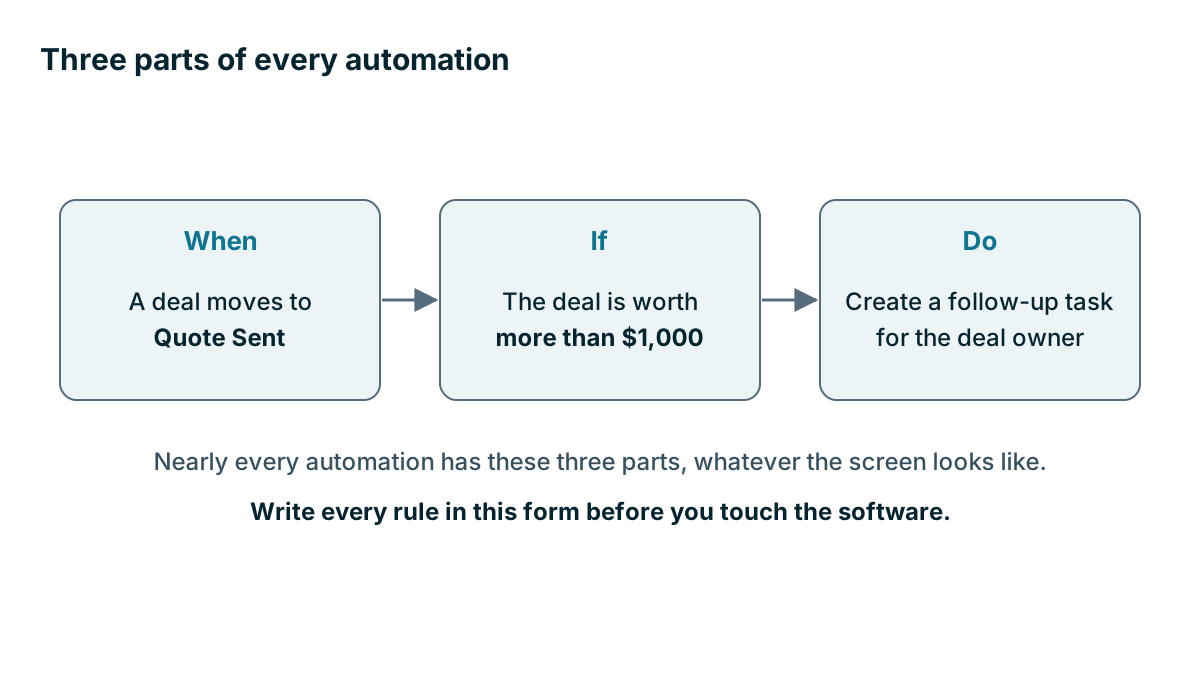
Almost every automation is three parts: when, if and do. Learn those and you can read any workflow builder, and plan your rules on paper first.
Lesson 2 of 3 · 6 min read ·
Workflow builders look different from one product to the next. Some use lists, some use flowcharts with boxes and lines. Underneath, nearly all of them are built from the same three parts. Once you can see those, any automation screen gets easier to read.
When, if, do
When is the trigger. It's the event that starts the rule.
If is the condition. It's the check that decides whether this record should go any further.
Do is the action. It's the thing that happens.
Here is one rule, in a single sentence:
When a deal moves to Quote Sent, if the deal is worth more than $1,000, create a follow-up task for the deal owner.
Write every rule in that form before you touch the software. If you can't get it into one sentence, it's probably two rules, or the process isn't clear yet.
What kinds of trigger can start a rule?
Triggers usually come in four kinds.
| Trigger type | What starts it | Example |
|---|---|---|
| Record created | A new contact, deal or form entry | A website enquiry arrives |
| Field changed | A value changes | Deal stage moves to Won |
| Time passed | A date arrives, or days go by | Three days after the quote was sent |
| Outside event | Another system reports something | A contract is signed in your e-signature tool |
Actions are just as limited a list. Most rules create a task, send an email or text, update a field, assign an owner, notify someone or create a linked record. Check which of these your plan includes, because they are not all available on every tier.
How would a rule chase a quote?
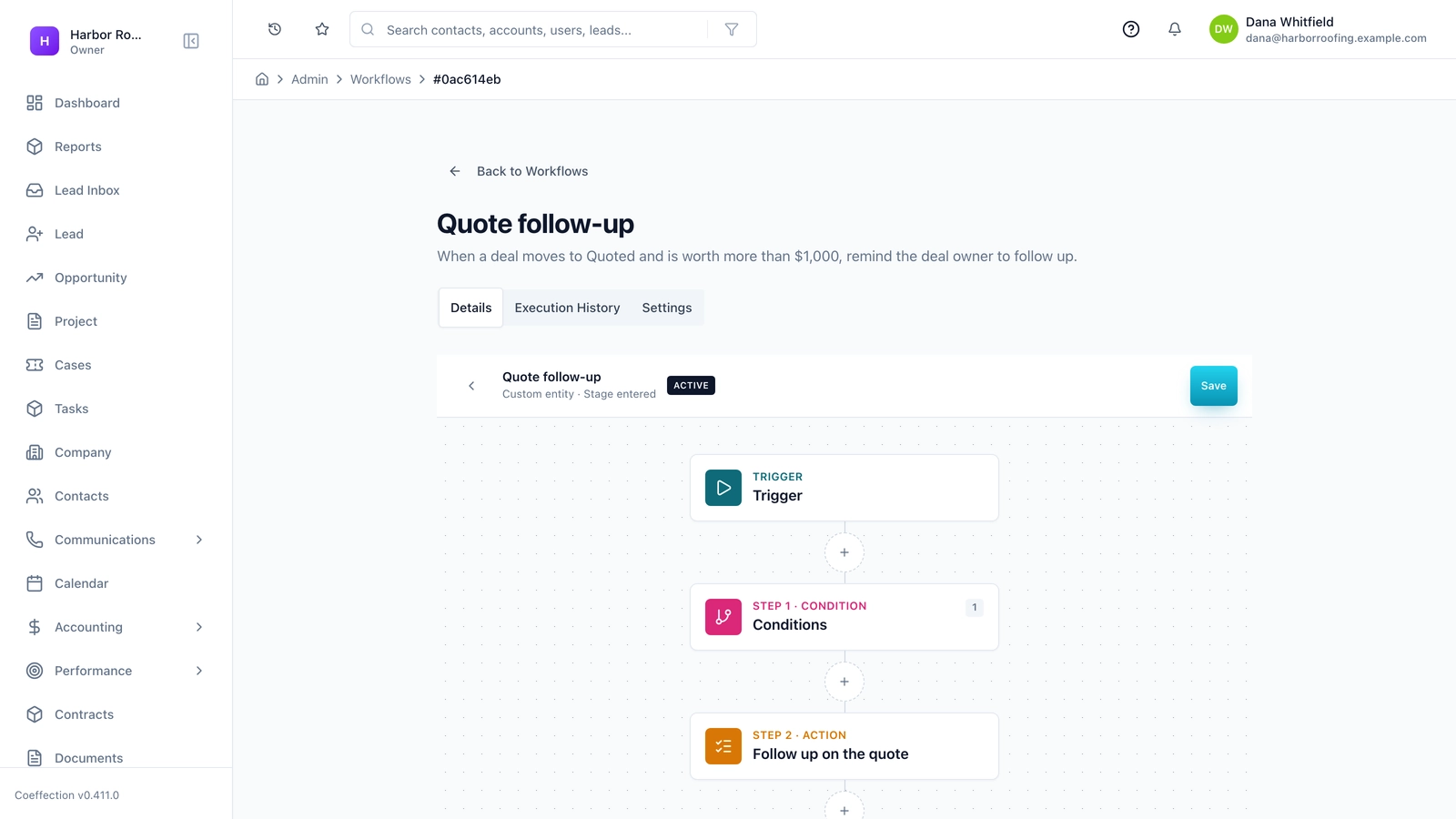
An invented landscaper shows how a rule can chase a quote. Quotes go out, and then they tend to sit. The owner wants a steady follow-up, done by a person, with the software doing the remembering. Written on paper first, the plan looks like this.
| Day | Check | Action |
|---|---|---|
| 0 | Quote is sent | Deal moves to Quote Sent, the clock starts |
| 3 | Still in Quote Sent? | Task for the deal owner: call the customer |
| 7 | Still in Quote Sent? | Task for the deal owner: send a short check-in |
| 14 | Still in Quote Sent? | Task for the owner of the business: decide to keep or close |
Look at the second column. Every step checks that the deal is still in the same stage. That check is the stop condition, and it's the most important part of the rule. If the customer signs on day 5, the day 7 task never appears. Without it, the owner gets a reminder to chase a customer who has already said yes, or worse, the customer gets an email asking whether they have thought about it.
Notice that the rule creates tasks. A person still makes the call. The software's job is to make sure the call doesn't get forgotten. Once it has run well for a month or two, the owner could turn the day 7 step into a template email that a person reviews. Chapter 8 looks at that choice, in the lesson on keeping a person in the loop.
What four habits keep rules clean?
Pick narrow triggers. Moved to Quote Sent is clear. Deal updated will fire every time anyone changes anything, and that's how trouble starts.
Always write the stop. Ask what should end this rule early. A reply, a stage change, an unsubscribe or a closed deal are the usual answers.
Name rules so a stranger could understand them. Quote follow-up, day 3, task for owner is a good name. New workflow 2 is not.
Give every rule an owner. Someone should be the person who answers for what it does. In a small firm, that's probably you, and it should be written down all the same.
Tip
Test with a fake record. Create a customer called Test Customer with your own email address, run it through each step and shorten the wait times while you test. Then put the real timings back. It takes ten minutes, and you find mistakes before a customer does.
Which rules work across different trades?
Your own process comes first, but it can help to see how others use this pattern. These are invented examples.
| Business | When | If | Do |
|---|---|---|---|
| Sign shop | Deal moves to Won | Job includes installation | Task for the office: apply for the permit |
| HVAC firm | A date arrives, 11 months after an install | Customer is not on a service plan | Task to call about a tune-up |
| Car detailer | Job is marked complete | Customer has not opted out | Send a short thank-you with a review link |
| Print shop | New enquiry from web form | Order is above a set value | Assign to the senior sales rep |
| Dog groomer | Eight weeks after last visit | No future booking | Task to text about the next appointment |
Read across each row and you can say it as a sentence. That is the test of a clear rule.
What about branches?
Most builders let you add branches: if the deal is above $5,000, do this, otherwise do that. Branches are useful, and they multiply quickly. Three yes or no checks can produce eight paths, and every one of those paths has to be tested. For a small business, two simple rules are usually better than one clever one. They are easier to read, test and turn off.
The same is true of chaining, where one rule's action starts another rule. It can be handy, and it's the most common way to create a loop, which the next lesson covers.
Keep a rule list
Keep one list of every rule you have turned on. A shared document is fine. It should have the name, the sentence, the owner and the date last checked. Some products have a good screen for this. Many firms still find that a short plain-language list is what they read.
You will be glad of it the day a customer asks why they got an email, and you need the answer in under a minute.
Key takeaways
- Almost every automation has three parts: when, if and do. Write each rule as one sentence before you build it.
- Use narrow triggers, and give every sequence a stop condition.
- Name each rule clearly, give it an owner and keep them on one list.
- Test with a fake record, and prefer two simple rules to one clever one.
Common questions
What is the difference between a trigger and an action in a CRM?
A trigger is the event that starts a rule, such as a deal stage changing. An action is what the rule does, such as creating a task or sending an email.
How can I test a CRM automation without messaging real customers?
Create a fake record with your own email address and run it through each step. Shorten the wait times while you test, then put the real timings back.
Is it better to have one complex rule or several simple ones?
For a small business, two simple rules are usually better than one clever one. Simple rules are easier to read, test and turn off.
Keep your place and test yourself
Enroll for free to save your progress, take the chapter quiz, and get a certificate when you pass every chapter. The lessons stay open to everyone either way.