

Chapter 11: Moving From Your Old System
Planning the Move
Most moves go wrong in the planning, not the import. Here is how to name an owner, pick a date, list your data and build a simple six-week plan.
Lesson 1 of 6 · 6 min read ·
Moving to a new CRM feels like a technical job. Mostly it's a planning job. The import itself may take an afternoon. What goes wrong is everything around it: nobody owns the move, the date lands in your busiest week, a key spreadsheet turns up after the old system is gone.
Whether you are leaving a spreadsheet, a shared inbox, a board tool or another CRM, the steps are much the same. This chapter walks through them in order. If you have a small team and simple data, you can do the whole thing in a couple of weeks. A bigger team with years of history may need a couple of months.
Who should own the move?
Before anything else, put one person in charge. It doesn't need to be the owner of the business, and it doesn't need to be someone technical. It needs to be someone organized, who knows how the business works and who will have real time for it.
That last part is where small businesses slip. If the office manager is expected to run a migration on top of a full job, it won't get done well. Agree what comes off their plate. As a rough guide, plan for a few hours a week, then more around the test run and cutover. Your own estimate will depend on how messy the data is.
List everything you have
Walk around the business and find out where customer information really lives. It's almost always in more places than you think.
- The main system or spreadsheet
- Other spreadsheets, including people's personal copies
- The shared inbox and individual inboxes
- Phone contacts on company and personal phones
- Your accounting software's customer list
- Your email newsletter tool's list
- Paper files, notebooks and business cards
- Quote and contract folders
- Website form submissions
Beside each one, write down who looks after it, roughly how many records it holds, and whether it's still in use. This list becomes your map for the rest of the move.
How do you pick a safe cutover date?
Choose a cutover date and work backwards. Pick the quietest time you can. Avoid your busy season, the end of your financial year, a big trade show, and the week your go-to person is on vacation. A landscaper might move in January. A tax preparer should not move in March.
Check two dates on your old system at the same time.
Watch out
Read your old contract before you set the date. Find the notice period, the renewal date, and how long you can reach your data after you cancel. Many people find out too late that their contract renewed last month, or that access ends the day they cancel. Plan to keep the old system available, at least to read, for a while after you go live.
What does a finished move look like?
Write down what done means, in a few lines. Without that, a move can drag on, because there is always one more thing to tidy. For example:
- All active customers and open deals are in the new system.
- The team works from the new system, and the old one is read-only.
- Web forms and enquiries reach the new system.
Leave everything else for later. In particular, don't try to rebuild every automation and report before you go live. Move the essentials, get people working, and add the rest once you know what you need. Changing your process and your system at the same time is a common reason moves get stuck, so where you can, move first and improve after.
A six-week plan
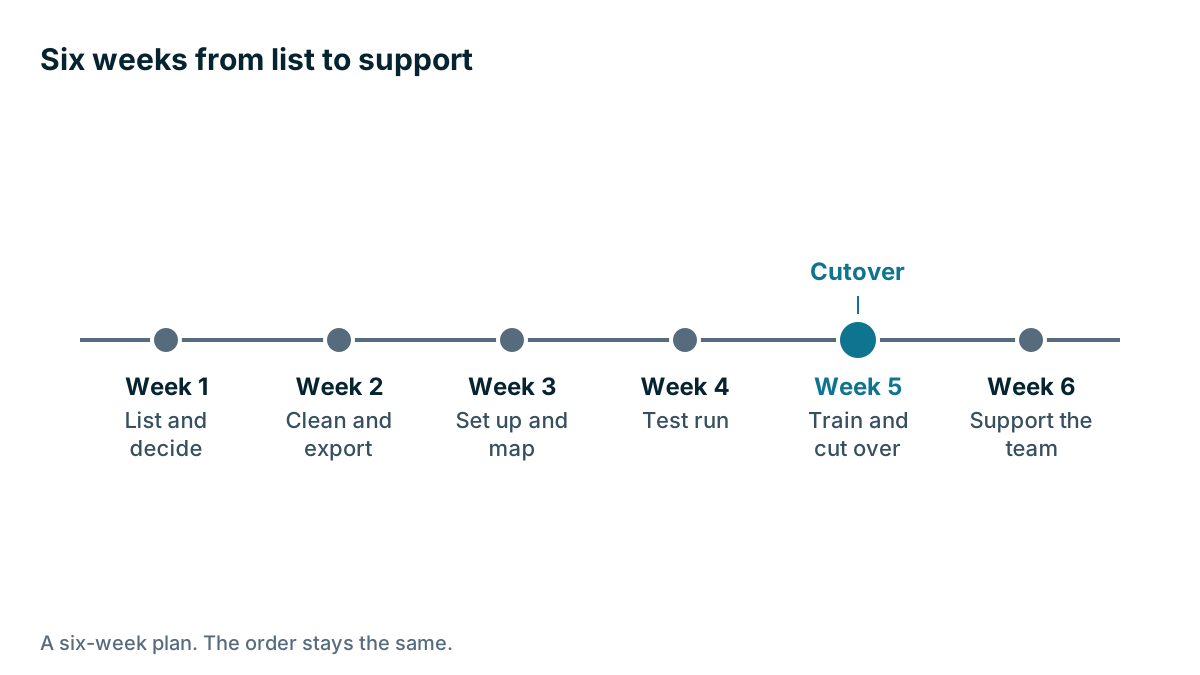
Here is a plan you can adapt. Each week has one main job.
| Week | Main job | Done when |
|---|---|---|
| Week 1 | List and decide | Sources are listed, and the owner and date are set |
| Week 2 | Clean and export | Each source has a tested export |
| Week 3 | Set up and map | Stages and fields exist, and the mapping sheet is finished |
| Week 4 | Test run | A sample import has passed its checks |
| Week 5 | Train and cut over | The team is trained, and the final import is done |
| Week 6 | Support the team | Problems are logged and being fixed |
The later lessons cover each of these in detail.
Example
An invented example. An architect's office has 12 staff. Client information sits in a spreadsheet, the partners' inboxes, and a folder of signed fee proposals. One partner wants to move right away. The office manager checks the calendar and sees two planning submissions due in the next five weeks.
They set the cutover for the quiet stretch after those deadlines, which also falls two months before the old tool renews. The office manager takes the lead, and she hands her Friday invoicing to a colleague for six weeks. On her first walk around the office, she finds that one partner keeps a private list of consultants and past clients that nobody else knew about. Without that list, some of the firm's best referrals would have been left behind.

Tell the team early
People get nervous about changes they hear about late. Tell the team about the move once the date is set. Say why you are moving, what will change for them, and when. Be honest that the first few weeks will feel slower. Ask who has their own lists or spreadsheets, and make it clear that you're asking so nothing gets lost, not to catch anyone out.
Also think about who outside the business needs to know. Your bookkeeper may need to know if an accounting connection is changing, and whoever looks after your website will need to change where forms send their data. Customers usually don't need to know anything, unless their portal, emails or invoices will look different.
Should you pay someone to help?
Vendors and consultants offer migration services, sometimes for a fee. They can be worth it if your data is large or complicated, or if nobody on your team has the time. Ask exactly what's included: how many record types, how many test runs, and who checks the result. Even with help, someone on your team must decide what moves and check that it arrived. Nobody outside your business can tell whether a record looks right.
Key takeaways
- Put one organized person in charge, and take something else off their plate.
- List everywhere customer information lives, including private spreadsheets and phones.
- Pick a quiet cutover date, and check your old contract's notice period and data access.
- Write down what done means, and move first before you improve.
- Follow the order: list, clean, map, test, cut over, support.
Common questions
Who should run a CRM move in a small business?
Someone organized who knows how the business works and has real time for it. It doesn't need to be the owner or a technical person. Agree what comes off their plate first.
Can a small team finish a CRM move in a couple of weeks?
Yes, if the team is small and the data is simple. A bigger team with years of history may need a couple of months.
Should I pay a company to migrate my CRM data?
It can be worth it if your data is large or complicated, or if nobody on your team has time. Someone on your team still has to decide what moves and check that it arrived.
Keep your place and test yourself
Enroll for free to save your progress, take the chapter quiz, and get a certificate when you pass every chapter. The lessons stay open to everyone either way.