

Invoicing and Handing Over to Accounting
Your CRM knows the sale and your accounting software knows the money. Here is how to keep them in step, with or without a connector, and how to bill in stages.
Lesson 5 of 6 · 6 min read ·
Winning the deal isn't the end. You haven't been paid until the invoice goes out and the money comes in. Plenty of small businesses have a gap at exactly this point: a deal is marked Won, everyone is pleased, and the invoice goes out two weeks later, or not at all.
This lesson is about closing that gap, and about which system should own which facts.
Which system should keep which facts?
In Chapter 1 we said a CRM is not your accounting system. Here is what that means in practice.
| Fact | Lives in | Why |
|---|---|---|
| Who the customer is and how to reach them | CRM | The sales team updates this daily |
| Deal value, quote and signed contract | CRM | This is the record of the sale |
| Invoice number, tax, payments received | Accounting software | These are your books, and your accountant relies on them |
| Who owes you money | Accounting software, with a view in the CRM if you can get one | So salespeople can see it before calling |
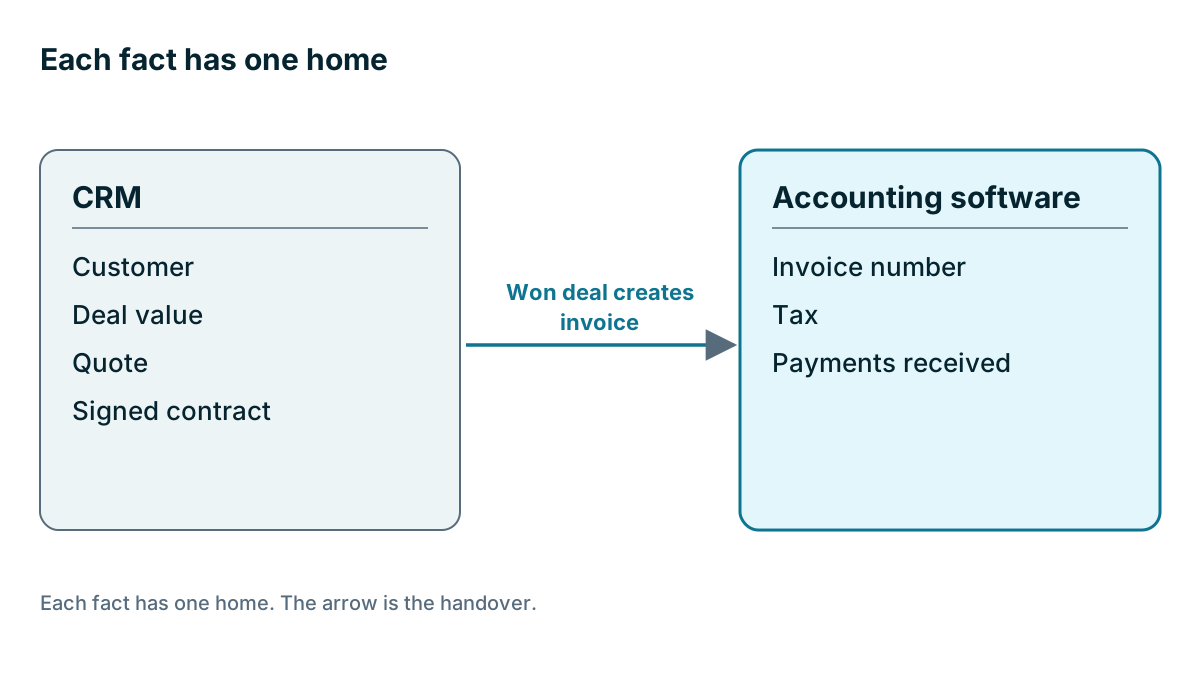
The rule is that each fact has one home. Other systems can show a copy, but only one place is allowed to change it. If an invoice can be edited in two places, your CRM and your books will drift apart, and at the end of the year your accountant will spend your money sorting that out.
Talk to your bookkeeper or accountant before you set this up. They have seen how this goes wrong, and they are the ones who will live with it.
Billing in stages
Small jobs usually get one invoice. Larger jobs often get several, and that needs a plan from the day you quote.
Here is an invented custom cabinet maker with an $18,000 job, before tax. The numbers are made up.
| Stage | Share | Amount | When it's invoiced |
|---|---|---|---|
| Deposit | 40% | $7,200 | On signing |
| Delivery to site | 40% | $7,200 | When the cabinets arrive |
| Sign-off | 20% | $3,600 | When the customer approves the finished work |
| Total | 100% | $18,000 |
Write the stages into the quote, so that nothing is a surprise. Then give each stage an owner. Someone has to know the cabinets arrived today and that the second invoice should go out. If that depends on the installer remembering to tell the office, it will slip. A short task on the deal for each billing stage, or a field that the crew updates when they finish a stage, does the job.
Tracking deposits matters for another reason. Depending on how you do your books, a deposit may be money received for work you haven't done yet. How that's recorded is a question for your accountant. Don't let the CRM's Won total stand in for your revenue figure.
How do you get an invoice into your books?
| Method | How it works | Good for | Watch out for |
|---|---|---|---|
| Retype it | Someone copies the sale into the accounting software | A handful of invoices a month | Typing errors, delays, forgetting |
| Export and import | A file goes from one system to the other | Batches at set times | Format problems, duplicates |
| Connector | Winning a deal or pressing a button creates the invoice | Regular volume, or several people billing | Setup, matching, what happens when it fails |
Is a connector worth it? Do the sum. An invented firm sends 40 invoices a month, and each takes 6 minutes to retype. That is 240 minutes, or 4 hours a month, plus the cost of any mistakes. Set that against what the connector costs and the time to set it up. For a firm that sends six invoices a month, retyping may be the honest answer.

Where do connectors go wrong?
A connector saves real time once it's working. Before that, it moves your mistakes into your books faster. Check these in a trial, using a test company in your accounting software if you can.
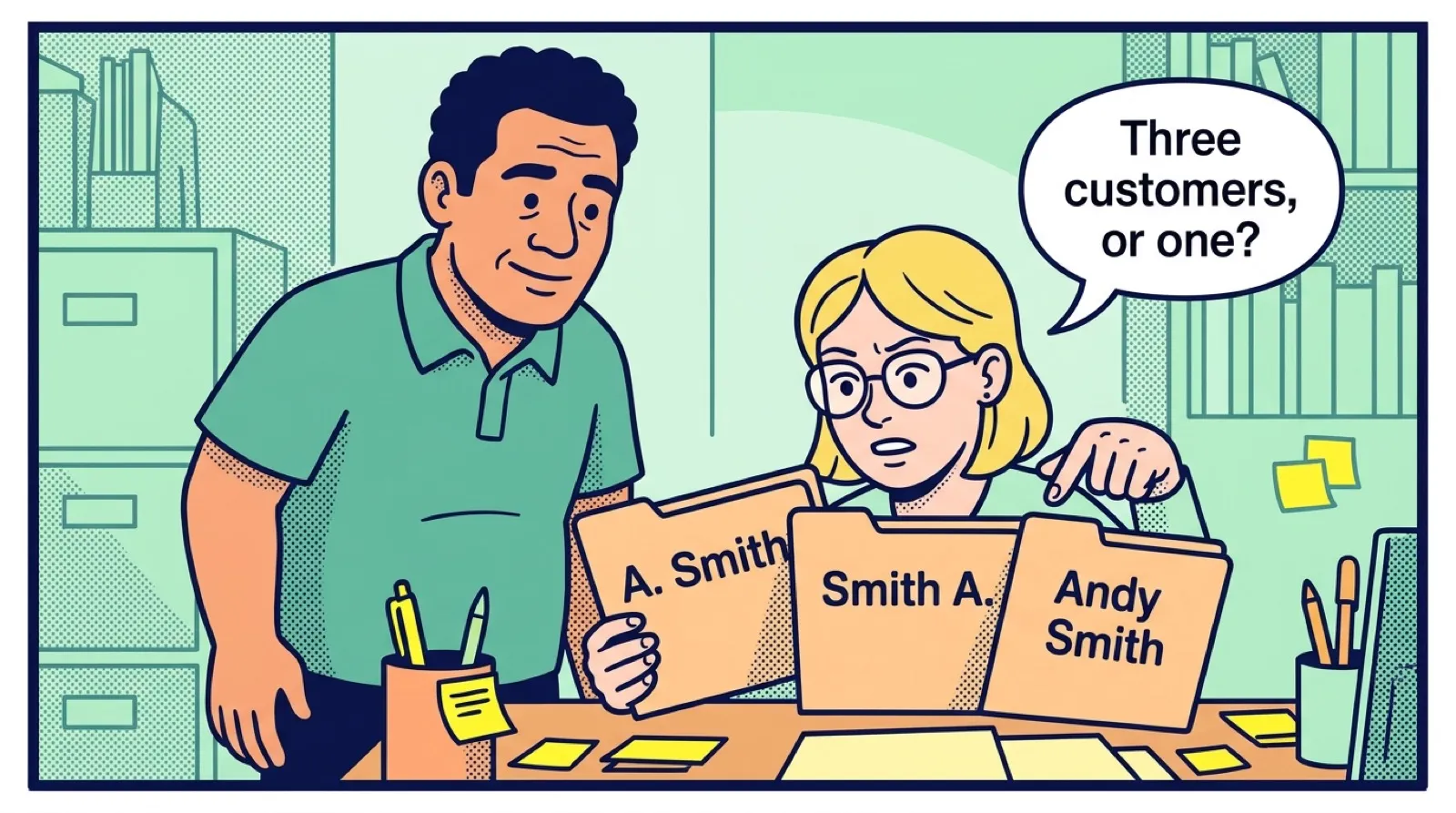
Customer matching. If the CRM says Smith Plumbing Inc and your books say Smith Plumbing, does the connector find the match or create a duplicate? Tidy your customer list before you connect anything.
Product and tax mapping. Each item on a quote has to land on the right item and income account in your books, with the right tax code. Ask your accountant to check this list.
Direction. Does information flow one way or both ways? Does payment status come back to the CRM, so that a salesperson can see an unpaid invoice?
Failure. When a sync fails, who finds out, and how? A connector that fails silently is worse than none, because everyone assumes it worked.
Changes. If the deal changes after the invoice exists, what happens? In most cases, the fix should be made in the accounting software by whoever does the books, with a note on the deal.
Coeffection, the publisher of this course, builds a version of this flow: a quote, a contract through DocuSign and an invoice in QuickBooks or NetSuite, from the deal. It is aimed at teams of roughly 20 to 200 users, so a three-person firm may be better served by something simpler. Hold it to the same tests as anything else.
A weekly tie-out
Whatever method you use, do this once a week. It takes about ten minutes.
- List deals marked Won since last week
- Check that each one has an invoice, or a dated reason why not
- Check any billing stage that was reached this week
- Check that invoice totals match the deal value, allowing for tax
- Look at overdue invoices before anyone calls those customers about new work
Tip
Don't let a salesperson promise a customer new work while their last invoice is overdue, without at least knowing about it. If your CRM can't show payment status, have the bookkeeper send a short overdue list every Monday. It takes one minute and can save an awkward call.
Key takeaways
- Each fact has one home. The CRM owns the sale, and the accounting software owns the invoice and the payment.
- Put billing stages in the quote, and give each stage a named owner.
- Do the sum on a connector, and test customer matching, tax mapping and failures before you trust it.
- Check once a week that every won deal has an invoice.
Common questions
Where should payments be recorded?
In your accounting software, because payments and invoice numbers belong in your books. The CRM keeps the customer, deal value, quote and signed contract.
Is a connector worth it for a small firm?
Compare the time spent retyping invoices each month with the cost and setup time of a connector. A firm sending six invoices a month may find that retyping is the honest answer.
How do I track billing stages on a large job?
Write the stages into the quote, with the share and amount of each, so nothing is a surprise. Then give each stage an owner and a short task on the deal, so the next invoice does not depend on someone remembering.
Keep your place and test yourself
Enroll for free to save your progress, take the chapter quiz, and get a certificate when you pass every chapter. The lessons stay open to everyone either way.