

Chapter 12: Keeping It Healthy
When to Add Features and When to Stop
Every field, automation and report feels small when you add it. Together they can bury a CRM. Here are four questions to ask before you add anything, and how to remove what no longer earns its place.
Lesson 4 of 6 · 7 min read ·
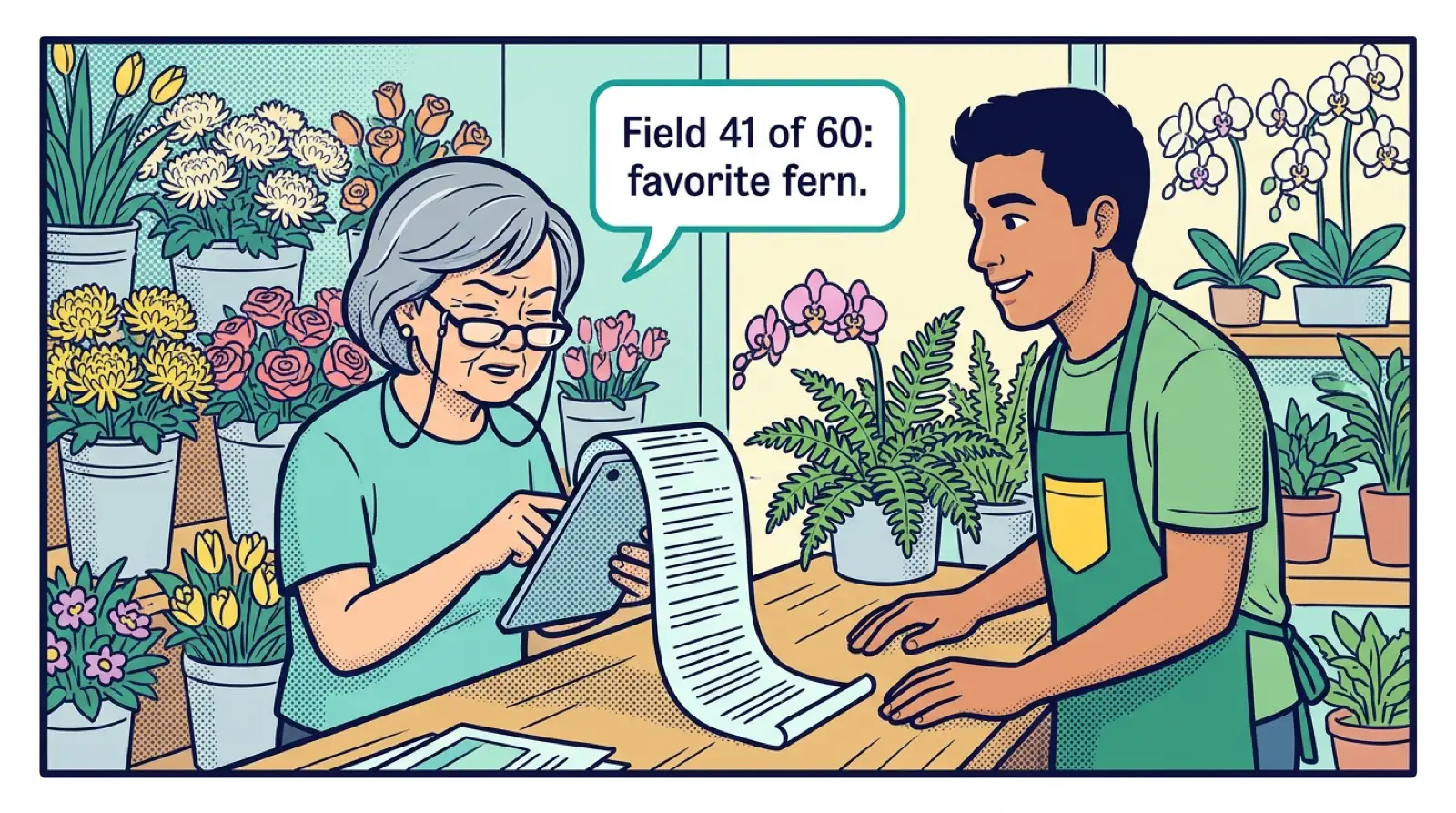
A CRM rarely gets too complicated in one go. A manager wants one more field. Someone builds an automation for a problem that went away. A report gets made for a meeting that never happens again. Each one is small. A few years later the deal form has 60 fields, and nobody can explain why half the emails go out.
This is the slow way good systems turn into the bloated ones that people hate. It also undoes the work from the last two chapters, because each new thing raises the cost of using the system. So add things on purpose, and remove things on purpose too.
What four questions come before adding anything?
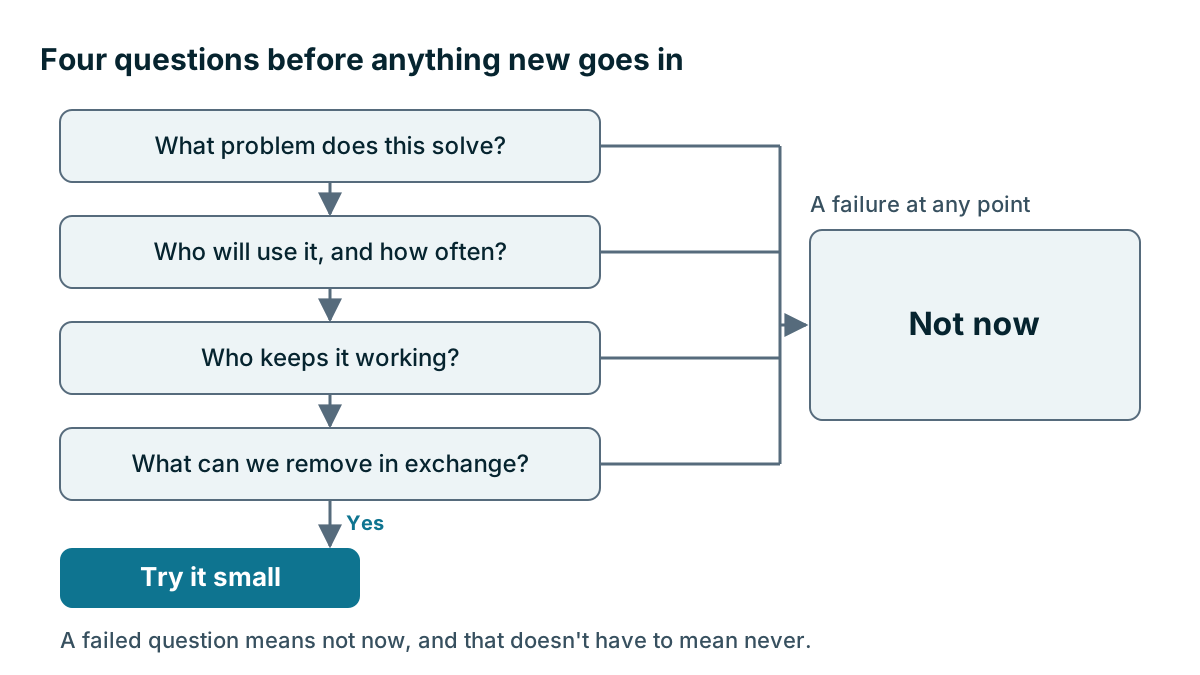
Before any new field, automation, stage, report or add-on goes in, ask these four questions. It takes a couple of minutes.
- What problem does this solve? Name a real event, not a general wish. We lost two renewals because nobody knew the date is a problem. It would be nice to have more data is not.
- Who will use it, and how often? If nobody can name a person and a frequency, stop here.
- Who keeps it working? Each thing you add needs an owner, and every automation can break.
- What can we remove in exchange? Ask this each time, even if the answer is nothing.
Example
An invented example. An electrical contractor has 22 staff. The sales manager wants a new field for how each customer heard about a promotion.
Question one is shaky. He says it would be interesting. Question two fails, because he can't say what he'd do with the answer. So it goes on the later list.
The same week, the office manager asks for an automatic task 11 months after a service contract starts, because two contracts lapsed last year when nobody called. She can name the problem, the user, and the owner. She also offers to remove an old renewal spreadsheet. That one goes in.
Do extra fields cost more than they seem to?
Fields are the most common way to overbuild. Each one adds a moment to every record, and when a field is optional and unused, it becomes clutter that hides the fields that matter. Before adding one, check if you could use a note, a tag, or an existing field. Only make it a field if you'll filter on it or report on it.
How do you add automations safely?
Automations can save a lot of time, and they can fail without anyone noticing. A broken one may stop sending reminders, or send the wrong email to the wrong customer for weeks.
A few habits help.
- Start with internal tasks. An automatic reminder to a teammate is low risk. An automatic email to a customer isn't.
- Test it on your own record first. See exactly what happens.
- Keep a simple list. Write down what each automation does, what triggers it and who owns it. You'll also need this list if you ever move, since automations rarely transfer.
- Automate what already works by hand. If you can't describe the manual process clearly, automating it will only produce the mess faster.
AI features deserve the same questions. They can be useful, and they can cost extra through usage credits. Ask what job it does, who checks the output, and what happens when it gets something wrong.
Change one thing at a time
When you change several things at once, you can't tell what caused a problem. Make one change, tell the team, and let it settle for a week or two. Keep a short change log, with the date, what changed, why, and who did it.
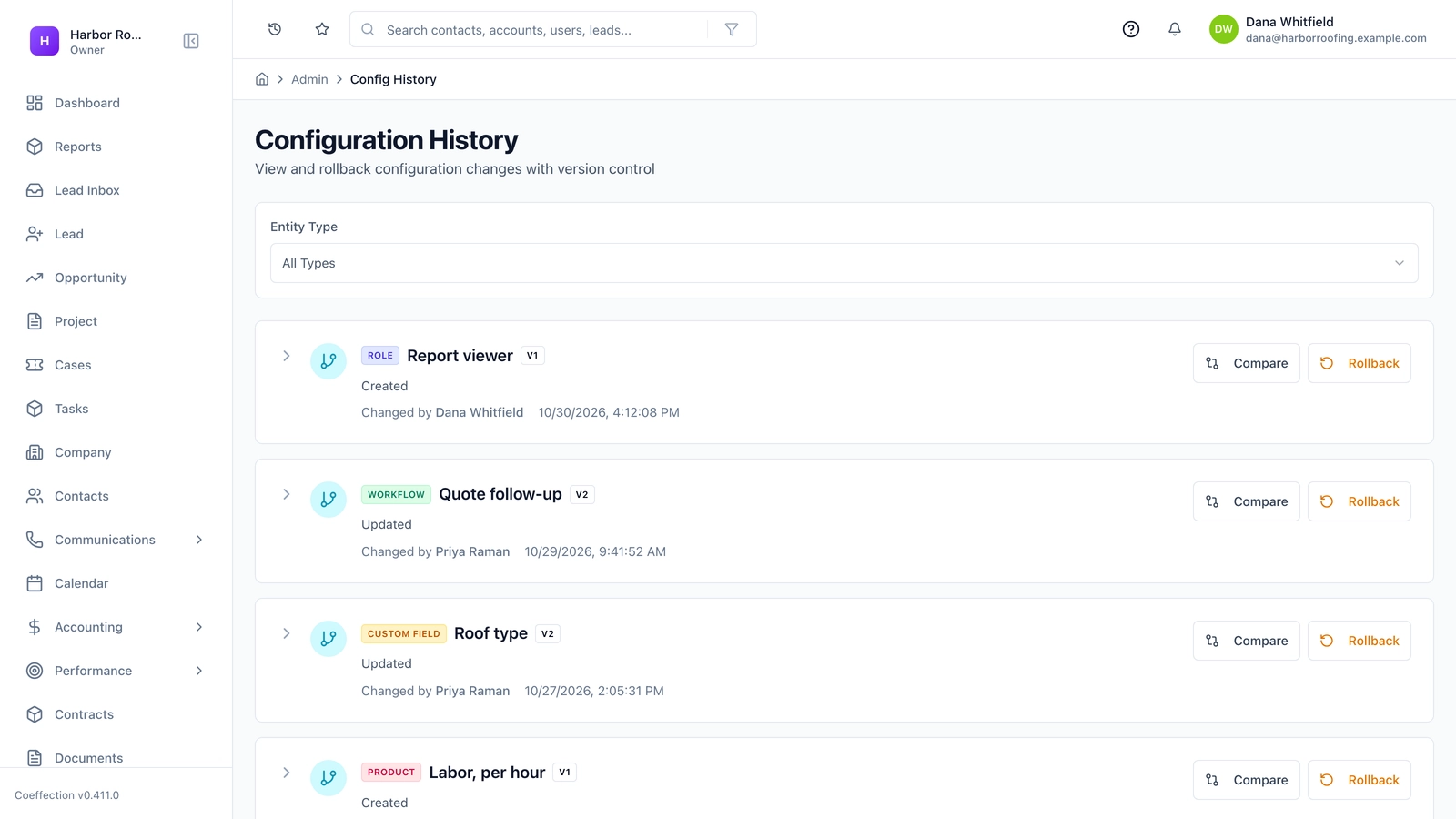
Check whether your system tracks setup changes and lets you undo them. Many don't, or do so only in part. Coeffection keeps version-controlled configuration with one-click rollback, for example, and that's one way to make changes safer. Whatever you use, know how you'd undo a change before you make it. If there's no undo, take a note of the old settings first.
Tip
Try new things small. Give a new field or automation to one person or one team for two weeks, then ask if it helped. This is how you find out that an idea sounded better than it worked, before everybody has to live with it.
How do you know when to stop adding things?
Some signs show that you've gone far enough for now.
- New hires need days to learn the basics.
- People skip fields or type a dot to get past them.
- The team can't explain what happens when a deal moves.
- Only one person dares to change anything.
- You keep adding reports, and decisions aren't getting any better.
If you see these, freeze new additions for a quarter and spend that time removing things.
Run a regular removal
Twice a year, go looking for what you can take out. Most CRMs will let you see which fields are blank on most records and which reports nobody has opened.
| Look for | Ask | If the answer is no |
|---|---|---|
| Fields mostly blank | Does anyone filter or report on this? | Hide it, then remove it later |
| Reports not opened lately | Did anyone use this to decide something? | Delete it |
| Automations | Is the problem still real? | Turn it off |
| Pipeline stages | Do deals really spend time here? | Merge it with a neighbor |
| Add-ons | Did we use this in the last 90 days? | Cancel it |
Before you delete a field, export its contents and hide it for a month. If nobody complains, remove it. Removing feels riskier than adding, so people tend to avoid it, and that's why systems only ever grow.
Key takeaways
- Ask four questions before adding anything: what problem, who uses it, who keeps it working, and what can go.
- Add a field only if you'll filter or report on it.
- Start automations with internal tasks, test them, and keep a written list.
- Make one change at a time, log it, and know how to undo it.
- Remove things twice a year, because systems only shrink when someone makes them.
Common questions
Should every detail get its own field in my CRM?
Usually not. Check whether a note, a tag or an existing field will do. Only make it a field if you'll filter on it or report on it.
What are signs my CRM has too many features?
New hires need days to learn the basics, people skip fields, and the team can't explain what happens when a deal moves. If you see these signs, freeze new additions for a quarter and spend that time removing things.
How do I make CRM automations safer?
Start with internal tasks rather than customer emails, and test each one on your own record first. Keep a written list of what each automation does, what triggers it and who owns it.
Keep your place and test yourself
Enroll for free to save your progress, take the chapter quiz, and get a certificate when you pass every chapter. The lessons stay open to everyone either way.