

Reading the Pricing Page
The number at the top is where the sum starts, not where it ends. Here is how to read seats, tiers, add-ons and contract terms, and work out the true cost.
Lesson 3 of 6 · 7 min read ·
A CRM pricing page is written to show you a small number. That is fair enough. Every business does it. Your job is to work out the number you will actually pay for the plan you will actually need. It usually takes about 30 minutes per product, and it can change your decision.
We won't quote any vendor's prices here. They change, and any figure we printed could be out of date by the time you read it. Instead, here is how to read any pricing page, and that skill will still work next year.
How do seats affect the price?
Most CRMs charge per user, often called a seat. Read the small print on these points:
- Is the price per user per month? The biggest number on the page may be per user, so multiply it.
- Is there a minimum? Some plans need a minimum number of seats even if you have fewer people.
- Who counts as a user? Check whether your bookkeeper, part-time helper or someone who only views reports needs a full seat.
- Are seats included? Some products charge a flat price that covers a set number of users, then charge more per extra user.
Count seats from the people list on your process page. Include occasional users, then decide who really needs a login.
Which tier do you really need?
Vendors group features into tiers. The cheapest tier is often there mainly to give the page a low starting number, and the feature you need may be one tier up.
Take your must-have list and go through the comparison table line by line. Scroll past the summary cards to the full table, which is often further down or behind a Compare plans link. For each must-have, write down the lowest tier that includes it. Your true tier is the highest one on that list. A single must-have can move you up.
Also check for limits within a tier, because a tick in a table doesn't always mean unlimited:
- Number of contacts or records
- Number of pipelines
- Custom fields
- Automation runs or workflows
- Emails sent per day or per month
- File storage
- API calls, if you plan to connect other tools
- AI usage or credits
Then look at your volume list and check that you fit, both now and a year from now. Find out what happens at the limit. Does the tool stop working, or do you get charged for going over?
Add-ons
Add-ons are features sold separately from the plan. Common ones include phone calling, e-signature, extra storage, marketing features and connectors to other software. Look for words such as add-on, available for an extra fee, sold separately and starting at.
Phone calling is a good one to study. Some products charge per user and then again for minutes and numbers. Add every add-on that one of your must-haves depends on.
What contract terms should you check?
The way you pay matters as much as what you pay. Find answers to these, and get them in writing if a salesperson gives them to you verbally.
- Monthly or annual? The advertised price is often for annual billing. Check the monthly figure too.
- Can you leave early? On an annual contract, you may owe the full year.
- How does it renew? Many contracts renew by themselves, with a notice period to cancel. Put that date in your calendar.
- Can seats go down? You can usually add seats at any time. Removing them mid-term may not be allowed.
- Will the price rise at renewal? First-year discounts often end. Ask what the second-year price will be.
- Are there setup fees? Some products charge for onboarding, and may make it mandatory on larger plans.
Watch out
Don't sign an annual contract for your first CRM unless you've completed a real trial and you are confident your team will use it. A monthly plan costs more on paper. It also lets you walk away if things don't work out, and in your first year that flexibility has real value.
Work out the true cost
Now put it together. Calculate year one, because that includes setup, and then year two, because that is what you will live with.
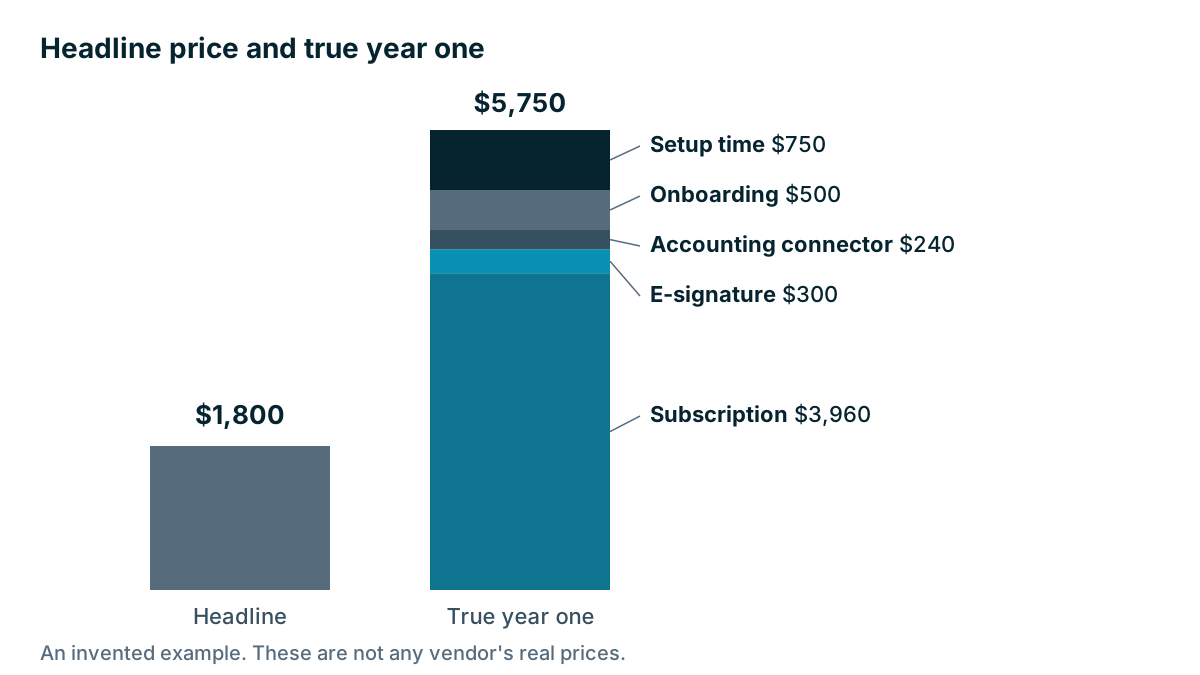
Here is an invented example. A small company with five people who use the system every day looks at an invented product, Plan B, advertised at $30 per user per month. These prices are made up to show the method.
| Line | Headline view | True year one |
|---|---|---|
| Seats | 5 | 6, because the bookkeeper needs a login |
| Tier | $30 | $55, because reminders are one tier up |
| Subscription for 12 months | $1,800 | $3,960 |
| E-signature add-on, $25 a month | Not counted | $300 |
| Accounting connector, $20 a month | Not counted | $240 |
| Mandatory onboarding | Not counted | $500 |
| 25 hours of your own setup at $30 | Not counted | $750 |
| Total | $1,800 | $5,750 |
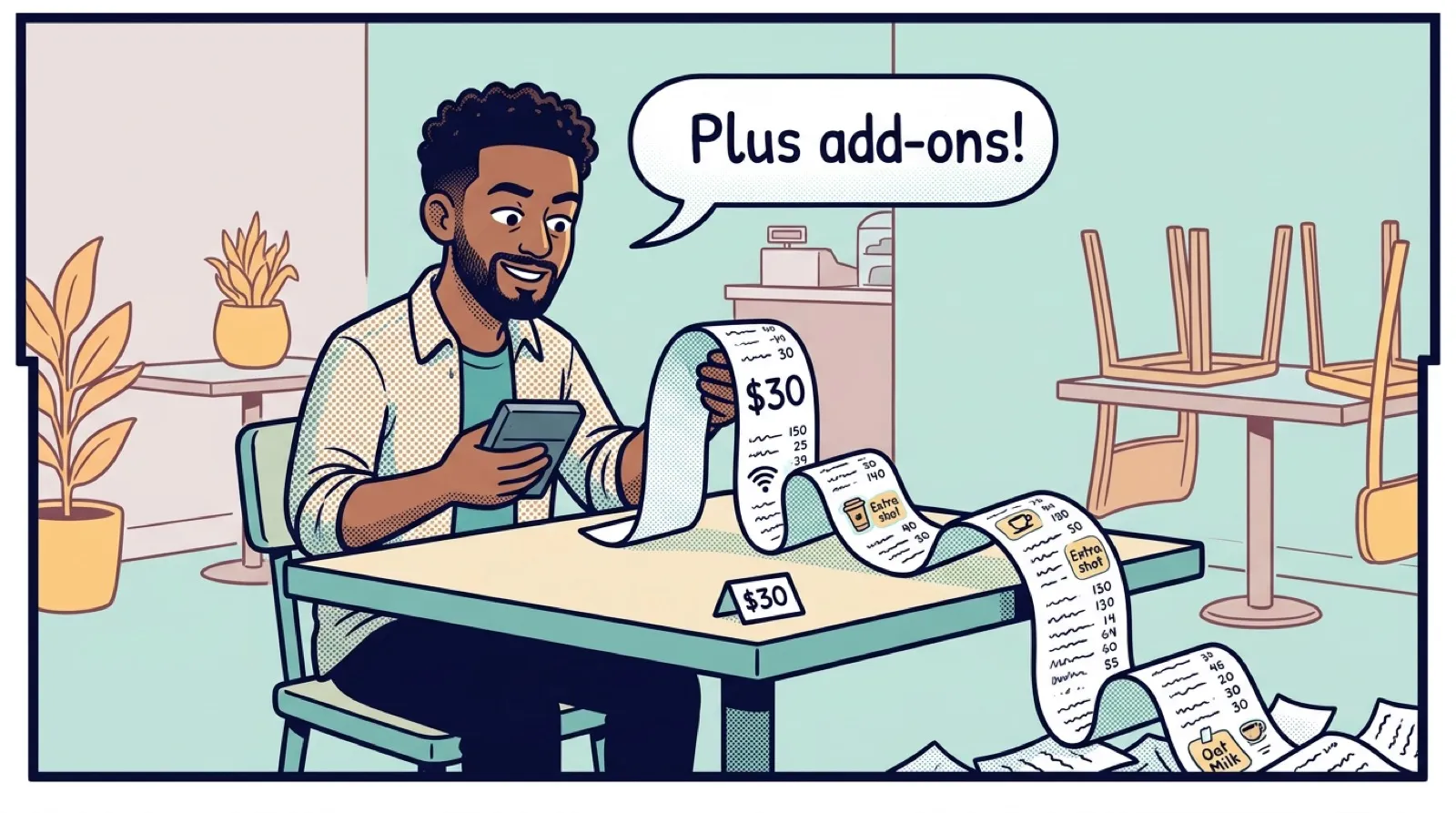
The cost that started out as $30 a user a month has turned into about $80 a user a month. Nobody hid anything. Every line was on the page or easy to find. That total may still be good value. The sum from Chapter 1 will tell you. The point is that you are now comparing real figures.
What should you ask a salesperson?
Send these by email so you have the answers in writing:
- Based on this list of requirements, which plan do I need, and why?
- What will I pay in total in year one and in year two?
- What are the limits on my plan, and what happens if I go over them?
- What is the notice period to cancel, and when is the deadline?
- Is onboarding required, and what does it cost?
Hold every vendor to this, including us. Coeffection's plans are on its website, and our pricing page deserves the same reading you give anyone else's.
Tip
Save a copy of the pricing page, with the date, when you decide. Pages change, and a saved copy shows you what you were offered.
Key takeaways
- Your real plan is the lowest tier that includes all your must-haves, so check every item in the full comparison table.
- Count seats, limits and add-ons against your own people and volume numbers.
- Read contract terms closely: annual billing, renewal dates, seat reductions and second-year price.
- Compare products on year-one and year-two true cost, including your own setup time.
Common questions
Why is the top price on a CRM pricing page not the real cost?
It is where the sum starts. Seats, higher tiers, add-ons, mandatory onboarding and contract terms can each add to the total.
What should I total up before comparing CRM prices?
Add up year one, which includes setup, and year two, which is what you will live with. Count the seats, limits and add-ons your team needs, not just the headline price.
Should my first CRM be on an annual contract?
Not unless you have completed a real trial and are confident your team will use it. A monthly plan costs more on paper, but it lets you walk away if things do not work out.
Keep your place and test yourself
Enroll for free to save your progress, take the chapter quiz, and get a certificate when you pass every chapter. The lessons stay open to everyone either way.