

Must-Haves Versus Nice-to-Haves
A short, strict list of what you truly need keeps you from paying for features you will never open. Here is how to build it.
Lesson 2 of 6 · 6 min read ·
Feature comparison tables are designed to make you feel you need more. Each tier adds a longer list of ticks, and every tick sounds like something a serious business should have. The way to stay in control is to write your own list first, and keep it short.
How do you test for a must-have?
A must-have is something where, if the product can't do it, you would rule the product out, even if everything else was perfect. Apply this test to each candidate:
If this CRM did everything else well but not this, would I still walk away?
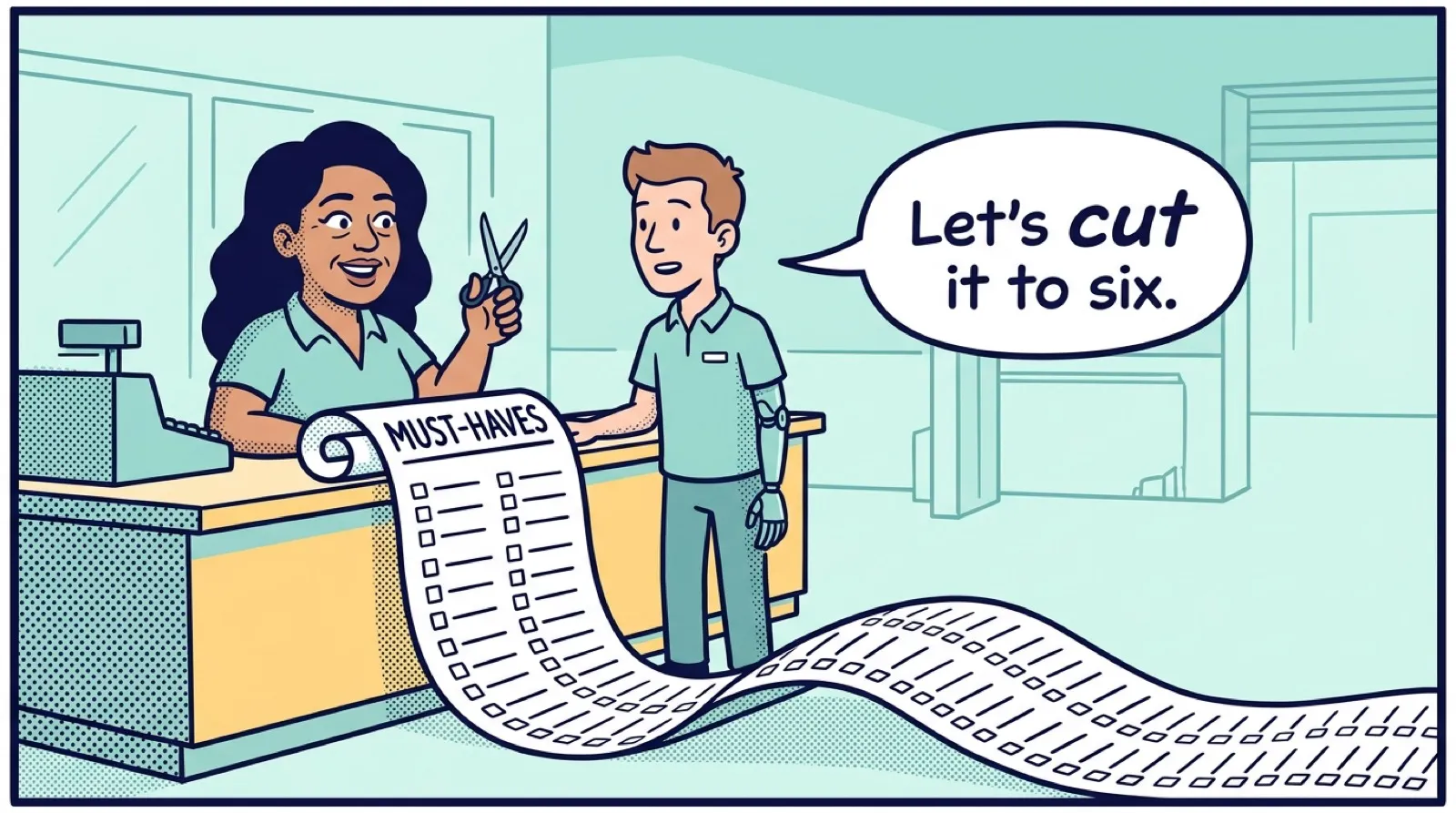
If you would hesitate, it is a nice-to-have. Be strict. A list of 20 must-haves is really a wish list, and no affordable tool will pass it. Aim for about five to eight.
Every must-have should trace back to your one-page process from the last lesson. Point to the step, or the highlighted problem, that it solves. If you can't, it came from a vendor's website and not from your business.
Why write must-haves as jobs, not features?
"Automation" means nothing on a list. Every CRM will claim to have it. Write what you need done, in a sentence that can be proved in a trial.
| Vague | Written as a job |
|---|---|
| Automation | Five days after a quote is sent, remind the office manager to call |
| Mobile app | From a roof, add a photo to a deal on my phone with one bar of signal |
| Reporting | See open quote value by salesperson on a Monday in under a minute |
| Email integration | See every email with a customer on their record without copying it |
| Custom fields | Store roof pitch and material on each deal |
A job has a clear answer. You can sit down during a trial and check whether it works. A feature name only tells you that a vendor has something by that name.
Example
An invented example: a roofer's must-have list. Six items, each tied to a step on his process page.
- Add photos to a deal from a phone on site.
- Remind the office manager to follow up five days after a quote goes out.
- Two people can work on the same deal and see each other's notes.
- Log every email with a customer without copying and pasting.
- Create or send customer details to the accounting software without retyping.
- Export all data, including notes, in a usable format.
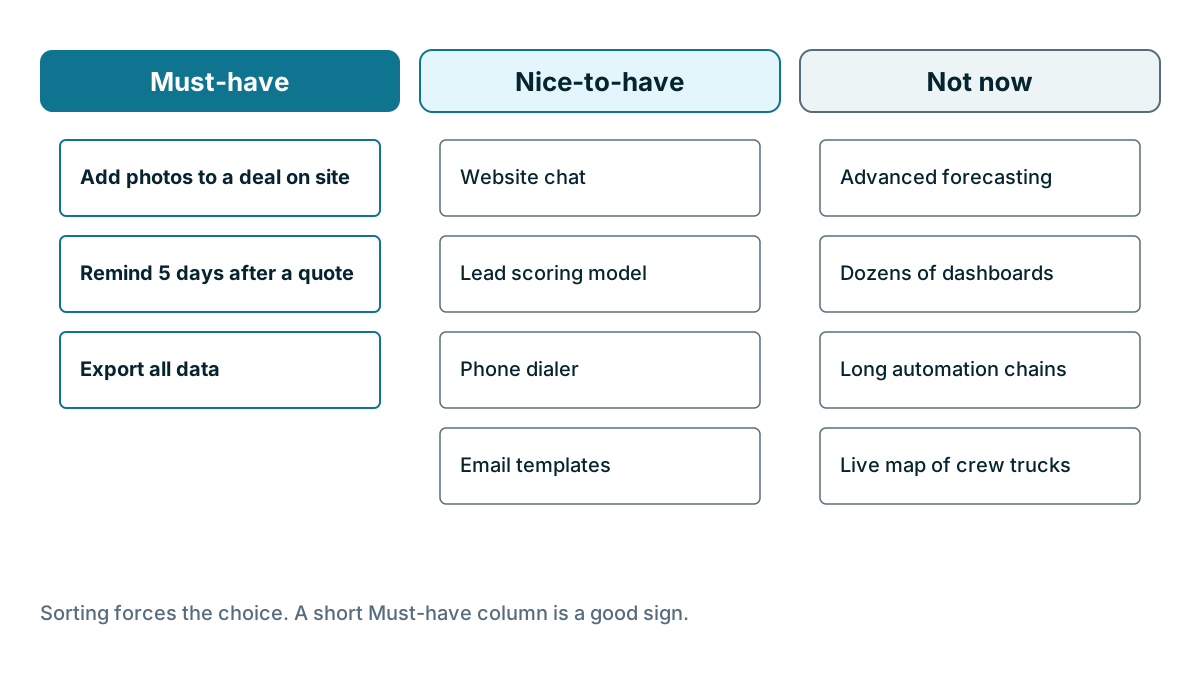
Everything else, including website chat, a lead scoring model and a phone dialer, goes on the nice-to-have list.
The same list changes by business
A list only works for the business that wrote it, and that is why copying someone else's rarely helps.
A bakery wholesaler might put recurring order reminders and delivery route notes at the top, and not care about quoting at all. A two-person agency might need proposals and a shared view of who is talking to whom, and have no use for a mobile app. Neither is wrong. They sell differently.
Sort the rest into three groups
Keep the rest of your ideas, since some will be useful as tie-breakers. Sort every other feature you find interesting into one of these groups:
- Must-have. Fails the product if missing. Check it first.
- Nice-to-have. Would make life better, and could break a tie.
- Not now. Sounds good, but you wouldn't use it this year. Don't pay for it.
Add one more test for the nice-to-have group: what would it replace? A feature that replaces something you pay for today, such as a separate scheduling tool, has a real money value. One that doesn't is worth much less.
Which features sound essential but often aren't?
Some features that sound essential may be right for you, but check each one against your page before it makes the list:
- Advanced forecasting. With few deals, you can read your pipeline directly.
- Lead scoring. With a few leads a week, you can judge them by reading them.
- Long automation chains. Start with a couple of reminders. Your process will change.
- Dozens of dashboards. You will likely look at one.
- AI features. Ask what the feature actually does, on what data, and whether it costs extra. Test it on your own records. Judge it the way you would any other feature.
Which must-haves do owners often forget?
Owners tend to list what they would see every day and overlook these. Consider them for your list:
- Data export. Can you get everything out, in a usable file, without asking permission?
- Permissions. Can you limit who sees or deletes what, if you need to?
- Mobile use. Will someone need this away from a desk?
- Import. Can your current data come in without a paid service?
- Support you can reach. Is help included at your plan level, and how?
- Your location. Does it support your currency, taxes, phone numbers and any data rules you must follow?
Watch out
Watch for must-haves that appear only after a demo. If you added an item because a salesperson showed it to you, leave it on the nice-to-have list for a week. If you still can't name the step it helps, take it off. The feature may be good. It just hasn't earned a place on your list yet.
How do you check your list against your budget?
If only top-tier plans meet your list, go back through it and ask again whether each item is truly a must. Sometimes the answer is yes, and the higher price is justified. Other times one item that you only need twice a year is pushing your costs up by a large amount. A workaround, like a monthly export or a separate low-cost tool, may be the better choice.
That leads straight to the next lesson, where we read a pricing page against this list.
Key takeaways
- A must-have is something you would walk away over. Keep the list to about five to eight items.
- Tie every item to a step in your process, and write it as a job you can test, not a feature name.
- Sort everything else into nice-to-have or not now, and ask what each nice-to-have would replace.
- Don't forget the unexciting items: data export, permissions, import and support.
Common questions
How many must-haves should a small business list?
About five to eight. A list of 20 is really a wish list, and no affordable tool will pass it.
How do I tell a must-have from a nice-to-have?
Ask whether you would still walk away if the CRM did everything else well but not this one thing. If you would hesitate, it is a nice-to-have.
Why should a CRM feature be written as a job?
A job has a clear answer that you can check during a trial. A feature name such as Automation only tells you the vendor has something by that name.
Keep your place and test yourself
Enroll for free to save your progress, take the chapter quiz, and get a certificate when you pass every chapter. The lessons stay open to everyone either way.