

Chapter 10: Getting Your Team to Use It
What Managers Do That Helps or Hurts
Your team will treat the CRM exactly as seriously as you do. Here is what managers do that builds the habit, what quietly kills it, and how to run a meeting from the screen.
Lesson 4 of 6 · 6 min read ·
Your team watches what you do far more closely than they read what you write. If you say the CRM matters, then ask for a status update by text, you have told them the truth: it doesn't.
Managers have more effect on CRM use than any feature does, and this is good news, because it costs nothing. It does take some discipline, especially in a busy week.
What is the biggest single habit for managers?
Run your meetings from the CRM. Open the pipeline board on a screen, and go through it. Don't ask for a separate list. If a deal isn't on the board, it doesn't get discussed.
People notice this quickly. The record becomes the place where their work gets seen, so keeping it up to date is now in their interest. The first few meetings may be awkward, with gaps and old dates on the screen. Let them show. Fix them together and move on.
Example
An invented example. An IT services firm has 25 staff and three account managers. Their sales manager used to collect updates in a shared spreadsheet each Friday, which took everyone an hour.
He drops the spreadsheet and runs a 20-minute Monday meeting from the board instead. He spends 5 minutes on deals that changed last week, 10 minutes on stuck deals, and 5 minutes on what each person needs help with.
In the first week, one account manager has four deals with no next step. The manager doesn't comment. He asks what the next step should be, and the account manager types it in while everyone watches. By the third week the board is current before the meeting starts, because nobody wants to update it in front of the room.
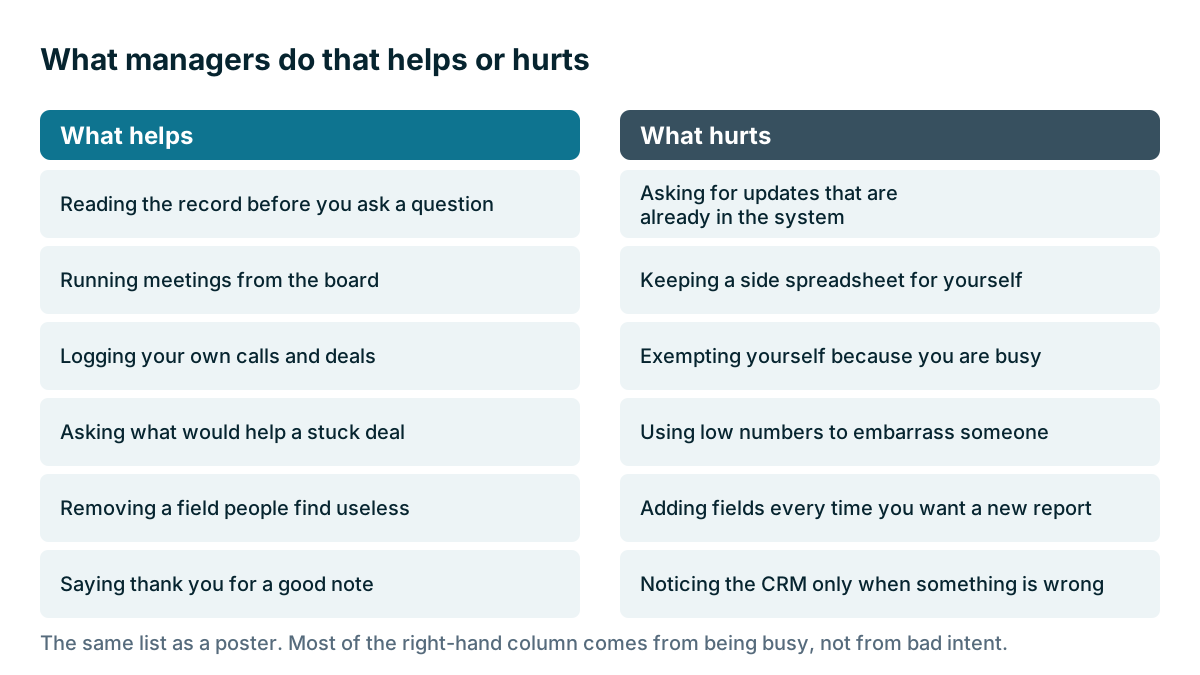
Which manager habits help, and which hurt?
| What helps | What hurts |
|---|---|
| Reading the record before you ask a question | Asking for updates that are already in the system |
| Running meetings from the board | Keeping a side spreadsheet for yourself |
| Logging your own calls and deals | Exempting yourself because you are busy |
| Asking what would help a stuck deal | Using low numbers to embarrass someone |
| Removing a field people find useless | Adding fields every time you want a new report |
| Saying thank you for a good note | Noticing the CRM only when something is wrong |
Stop asking for what you can already see
Stopping requests for information you can already see has the biggest effect on trust. When you want to know where a deal stands, look it up first. Then ask a better question. Don't ask, what's happening with the Hillside account? Ask, I see they went quiet after the second quote, what do you think happened?
This does two things. It shows that what people type gets read, and it saves them from saying the same thing twice. Few things kill the habit as fast as doing the entry and then being asked for the same information anyway.
How do you use CRM numbers without doing damage?
A CRM makes it easy to count things: calls, emails, notes, deals. Counting can be useful, and it can do damage.
Used for coaching, numbers start a good conversation. If someone's deals often stall after the quote, you can talk about how they follow up. Used as punishment, numbers teach people to manage the numbers. They'll log a voicemail as a call, or keep a dead deal open so the pipeline looks healthy.
A few habits keep the data honest:
- Reward accuracy. When someone moves a hopeless deal to Lost, thank them. A smaller true pipeline is worth more than a large false one.
- Talk about individuals in private. Team meetings are for deals, not for comparing people.
- Look at outcomes along with activity. A rep with few calls and many wins needs no call target.
Watch out
If you tie pay or bonuses to CRM numbers, think hard about what you are rewarding, and get your commission rules written down and agreed. Once money depends on a number, people will find ways to move that number.
Fix what's broken, and quickly
Part of a manager's job is to clear the path. When someone says a screen is slow, a field is confusing or a report is wrong, that's useful information. Fix it, or say why you can't. If people report problems and nothing happens, they stop reporting, and then they stop using the system.
Keep a short running list of complaints, and take one item off it each week. Removing a field nobody needs is one of the best things a manager can do. It shows you're listening, and it lowers the cost of logging for everyone.
Does this apply to owners too?
In a small business, the owner is often the worst offender, for understandable reasons. You hold old relationships, you take calls in the truck, and you've always kept it in your head. You also have the most useful information in the company.
Here is the rule: anything a customer told you that someone else might need goes in the CRM. If typing isn't your thing, ask for a shortcut. Send a quick voice note to your office manager and have them log it. That still counts, and it costs you 20 seconds. What doesn't work is one rule for the team and another for you.
What should managers check each week?
- Run at least one team meeting from the board
- Look up the record before asking about a deal
- Log your own calls and customer conversations
- Thank someone for a useful note or an honest Lost
- Fix or remove one thing people complained about
- Check that you didn't ask for anything already in the system
None of this takes much time, and it gets easier. After a month or two, the board is simply where the work lives, and you can stop thinking about it. If you skip it for a few weeks, though, people will notice that too. The last lesson in this chapter looks at how to keep it going.
Key takeaways
- Your team will treat the CRM as seriously as you do, so use it yourself.
- Run meetings from the board, and don't accept updates outside it.
- Look up the record before you ask, then ask a better question.
- Use numbers for coaching. If you use them to punish, you'll get false numbers.
- Fix complaints quickly, and remove fields when you can.
Common questions
How do I get my team to use the CRM?
Use it yourself, and run your team meetings from the pipeline board. Your team will treat the CRM as seriously as you do.
Should I use CRM numbers to measure my salespeople?
Use them for coaching. If you use them as punishment, people will learn to manage the numbers. If you tie pay or bonuses to CRM numbers, get your commission rules written down and agreed.
Do the owner's own customer conversations need logging?
Yes. Anything a customer told you that someone else might need goes in the CRM. If typing isn't your thing, send a voice note to your office manager and have them log it.
Keep your place and test yourself
Enroll for free to save your progress, take the chapter quiz, and get a certificate when you pass every chapter. The lessons stay open to everyone either way.