

Chapter 10: Getting Your Team to Use It
Simple Rules Everyone Follows
A CRM needs a few rules that fit on one page. Here are five that do most of the work, how to define your stages, and how to get people to keep to them.
Lesson 2 of 6 · 6 min read ·
A CRM is only as useful as the agreement behind it. If one person logs every call and another logs none, if one calls a deal Quoted when the price is sent and another when it's discussed, the numbers mean nothing. You can't report on an argument.
The fix is a short set of rules. Keep it short on purpose. Nobody follows a 30-page manual, and a long list means nothing stands out. Aim for what fits on one page, in plain words, and that a new hire could learn in ten minutes.
Which five rules do most of the work?
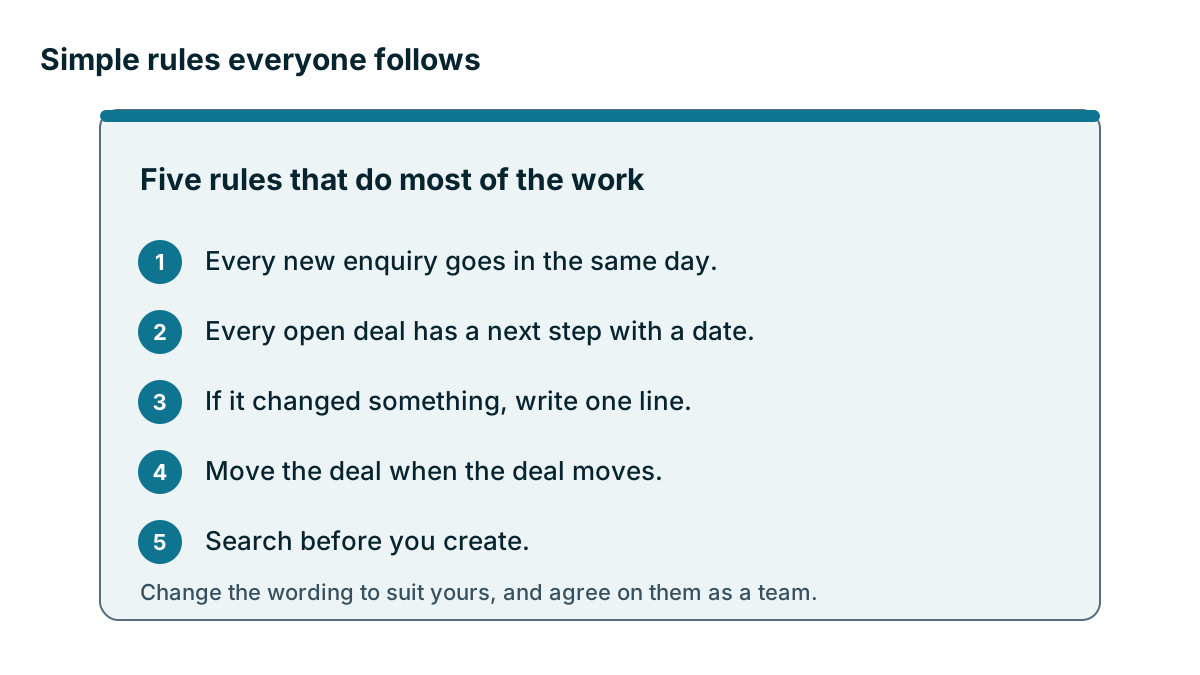
The rules below will suit most small businesses. Change the wording to suit yours, and agree on them as a team.
- Every new enquiry goes in the same day. A lead that lives on a sticky note overnight is a lead that can get lost.
- Every open deal has a next step with a date. This is the rule that matters most. A deal with no next step is a deal nobody is working on.
- If it changed something, write one line. You don't need a diary. A price was agreed, a decision moved, a person left. One line will do.
- Move the deal when the deal moves. Update the stage the same day. The pipeline board is only useful if it shows today.
- Search before you create. Look for the person or company first, which stops most duplicates before they start.
Notice what is missing. Nothing says to fill in every field, log every email by hand, or write long notes. Rules should ask for the smallest amount of information that keeps the business working.
What should each of your stages mean?
Stage names are a second source of trouble for any team. Quoted, Negotiating and Qualified can mean different things to different people. Write down what each stage means and what has to be true before a deal moves on. It takes about half an hour, and it ends a lot of arguments.
Here is an invented example from a commercial cleaning company with 14 staff and two people selling.
| Stage | What it means | To move on |
|---|---|---|
| New enquiry | Someone asked us about cleaning | We have a name, a site and a phone number |
| Site walk booked | A date is in the calendar | The walk has happened and notes are saved |
| Quote sent | The customer has a written price | The customer has said yes or no |
| Won | The customer agreed in writing | The start date and first shift are set |
| Lost | They said no, or went quiet after three tries | A lost reason is chosen |
The last column does the real work. It turns a judgment call into a simple test. Two people looking at the same deal will now put it in the same place, and that is what lets you trust the board.
Decide a few other small things
Some small choices cause a lot of mess if nobody makes them. Settle these once and put them on the page.
- Each deal has one named owner, even if several people work on it
- Company names follow one style, such as the full name with no abbreviations
- Phone numbers use one format
- Lead source comes from a short fixed list, not free text
- We say what counts as lost, including how long a quiet deal stays open
- We say who can change stages, fields or the rules themselves
How do you make a rule easy to follow?
A rule that fights the software won't last. Wherever you can, build the rule into the system so people don't have to remember it.
Most CRMs let you mark a field as required, offer drop-down lists instead of free text, and set a default task when a deal moves. Many can also stop a deal from moving forward until something is filled in. Coeffection calls these stage gates, and other products have their own versions, often at certain plan levels, so check before you rely on one.
Use these controls with care. A required field is a tax on every record, as the last lesson showed. If people are forced to fill in something they don't know, they will type anything to get past it, and now you have bad data that looks like good data. Start with one or two required fields and add more only when you see a real need.
Tip
Test a required field by asking: will the person always know this at that moment? A salesperson knows the site address when they book the visit. They may not know the budget yet. Require the first and leave the second optional.
How do you get the team to agree?
Rules handed down tend to get ignored. Rules people helped write tend to stick. Take your draft to a 30-minute team meeting and ask two questions: which of these will be hard to follow, and why? And what have we missed that keeps causing trouble?
You'll hear useful things. Perhaps the same-day rule is hard for someone out on site until 7 pm, so it becomes the next morning by 9 am for field staff. That is a good change, and the person who raised it now has a stake in it.
Then print the page, or pin it where people work. A veterinary clinic might tape it next to the front desk screen. It doesn't need to look good. It needs to be findable.

The rule for the rules
Everyone follows them, starting with whoever runs the business. If the owner keeps deals in their head or texts prices without logging them, the team will notice within days, and your rules will be finished. The next lessons come back to this. Review the page every few months too. Remove any rule nobody needs, and don't add a new one without asking whether an old one can go.
Key takeaways
- Keep the rules to one page, in plain words, short enough for a new hire to learn in ten minutes.
- The rule that matters most is that every open deal has a next step with a date.
- Define each pipeline stage and what must be true before a deal moves on.
- Build rules into the system where you can, but use required fields sparingly.
- Write the rules with the team, and make sure the owner follows them too.
Common questions
Which rules should a small business set for its CRM?
Five rules do most of the work: same-day enquiries, a next step with a date on every open deal, one line when something changes, moving the deal when it moves, and searching before creating. Change the wording to suit your business.
How long should a CRM rules page be?
Keep it to one page, in plain words, short enough for a new hire to learn in ten minutes. Nobody follows a 30-page manual.
Should every CRM field be required?
No. Start with one or two required fields, and add more only when you see a real need. Require only what the person will always know at that moment.
Keep your place and test yourself
Enroll for free to save your progress, take the chapter quiz, and get a certificate when you pass every chapter. The lessons stay open to everyone either way.