

Chapter 10: Getting Your Team to Use It
Training in Small Steps
One long training session teaches people very little. Here is a four-week plan of short sessions that use real customers and build one habit at a time.
Lesson 3 of 6 · 6 min read ·
The usual way to train a team on a new CRM is a two-hour session on a Friday afternoon. Someone clicks through every screen. People nod. On Monday, they remember about three things and go back to what they did before.
The problem isn't the trainer. People learn software by doing a real task at the moment they need it, and they can only take on a little at a time. So break the training into small steps, spread over weeks, with each step tied to a job they already do.
Why start with reading, not typing?
Most training starts by teaching people how to enter data. That is the costly part, so it's a poor first impression. Start with the part that gives something back.
On day one, show people how to look someone up. Before your next call, search for the customer and read the history. It takes seconds, and it's useful right away. Once people see what a good record does for them, they understand why they are being asked to fill one in.
What does a four-week training plan look like?
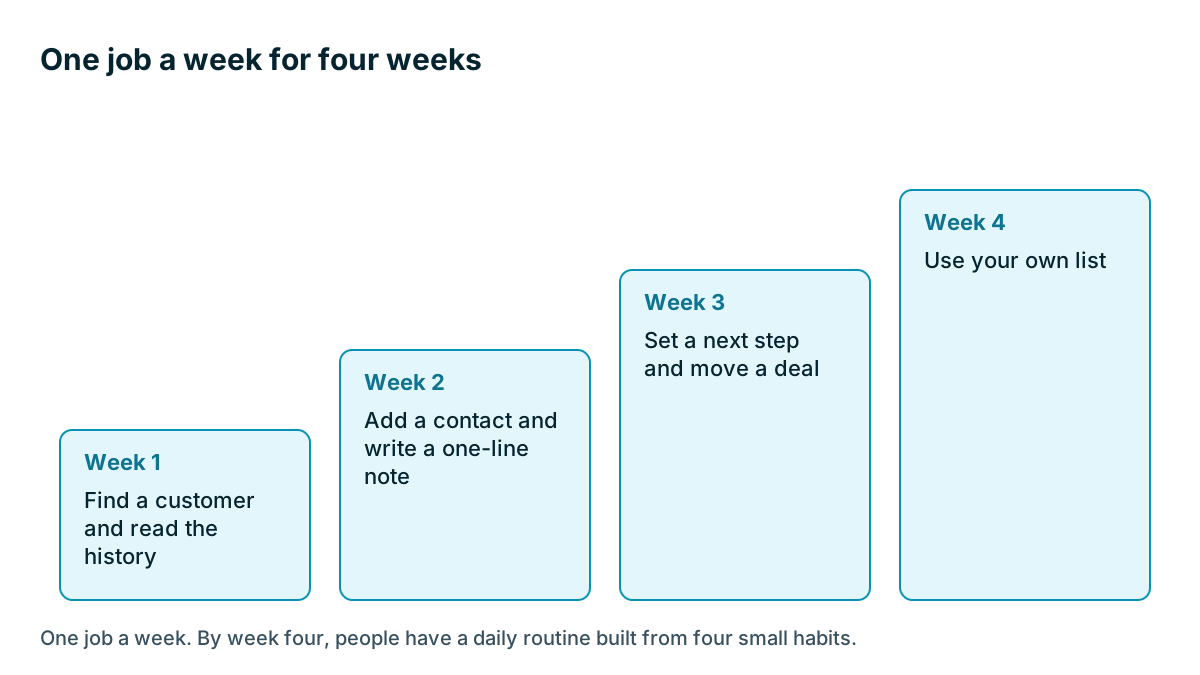
A simple ladder runs over four weeks. Each week has one job, one 15-minute session, and one thing to practice. Change the jobs to suit your own work.
| Week | The one job | Practice this week |
|---|---|---|
| Week 1 | Find a customer and read the history | Look up every customer before you call them |
| Week 2 | Add a contact and write a one-line note | Log each new enquiry the same day |
| Week 3 | Set a next step and move a deal | Make sure each of your open deals has a next step with a date |
| Week 4 | Use your own list | Start your day from your task list |
Reports, automations and the rest can wait. Nobody needs those in the first month, and most people won't need them at all.
Example
An invented example. A plumbing company has six plumbers, two office staff and an owner. The owner used to run one long session whenever software changed, with poor results.
This time, the office manager runs a 15-minute session each Tuesday before the vans leave, with the CRM on the break room TV. In week 1, she asks each plumber to name a customer they're seeing that day. They look the customer up together and find a note about a dog in the yard and a gate code.
Nobody needs convincing after that. In week 2 the plumbers learn to add one line after a job. It's a small lesson, and it has an obvious point, because they just saw what a one-line note did for them.
Should training use real work or made-up examples?
Practice on your own customers and deals wherever you can. Sample data teaches people where the buttons are. Real records teach them why the buttons matter.
Do keep one exception. If you are teaching something that could cause damage, such as merging records or deleting anything, use a test record first. Many CRMs offer a sandbox or a demo area. If yours doesn't, make a few records with an obvious name such as TEST Customer, and remove them after.
How long should each training session last?
Ten or fifteen minutes works better than an hour, and it's far easier to protect in a busy week. Tie the session to something that already happens: the morning shift start, the Monday meeting, the crew briefing.
A small brewery might do it at the tasting room bar before opening, with one laptop and the sales reps and the taproom manager standing around it. The setting doesn't matter. The regular time does.

Each session can follow the same shape:
- Show it once. One job, on a real record, in about three minutes.
- Everyone does it. People do it themselves, on their own login, while you are there to help.
- Say what to practice. Name the one thing to do this week.
Name a go-to person
Pick one person on the team who is comfortable with the system and give them a little time to help others. This person doesn't have to be the most senior or the most technical. Someone patient, whom people already ask for help, is ideal. The owner is often the wrong choice, because people may hide their confusion from the boss.
Tell the team that asking this person is fine, and that no question is too small. Questions are a good sign. Silence usually means people have stopped trying.
What should a one-page cheat sheet include?
Write down the five or six things people do most, with a screenshot or two and no extras. Keep it next to the rules from the last lesson. Add to it whenever someone asks the same question twice. A short video of your own screen also works well, and a phone recording is good enough.
Vendor training can help too. Many vendors offer help articles and videos, and some offer onboarding sessions, sometimes for a fee as we saw in the pricing lesson. These teach you the product. Only you can teach your way of using it, so treat vendor material as a supplement to your own plan.
Different people need different amounts
Don't train everyone on everything. A plumber needs search, notes and tasks. The office manager needs imports and reports. The owner needs the board and a few numbers.
- List each role on your team
- Write down the three jobs each role does most in the CRM
- Train those three jobs and nothing else in the first month
- Ask at the end of the month what each person still finds hard
- Run a short catch-up on those points only
Don't forget the next new hire
Your first training is a one-time event. New hires keep coming. If your plan lives in one person's head, the fifth person you hire will learn the CRM from whoever sits nearby, along with all their bad habits.
Turn your four weeks into a short written plan, and add it to your onboarding. The cheat sheet, rules page and a list of who to ask will cover most of it. Give each new person a real task in the system during their first week, so that using the CRM is simply how the job works here.
Tip
Ask your newest hire to tell you where they got stuck during their first week. They can still see what longer-serving staff have stopped noticing. Fix what they found in the cheat sheet.
Key takeaways
- People learn software through real tasks, in small steps. A single long session rarely sticks.
- Start with reading a customer's history, because it gives something back right away.
- Give each week one job, one short session and one thing to practice.
- Name a patient go-to person, and keep a one-page cheat sheet.
- Train each role only on the few jobs it does, and write the plan down for new hires.
Common questions
How long should CRM training take in total?
A simple plan runs over four weeks, with one 15-minute session and one job each week, rather than one long session.
Why do people forget CRM training so quickly?
A long session teaches very little, because people learn software by doing a real task at the moment they need it. They can only take on a little at a time.
What should a new hire learn first in a CRM?
Start with looking up a customer and reading the history, because it is useful right away. Give each new person a real task in the system during their first week.
Keep your place and test yourself
Enroll for free to save your progress, take the chapter quiz, and get a certificate when you pass every chapter. The lessons stay open to everyone either way.