
Integrations & Webhooks
10 min read · Advanced · Integrations
Most of your data doesn't start in Coeffection. It starts somewhere else, like a payment clearing in your billing tool or a form getting submitted on your site. An Inbound Sourceis a signed webhook endpoint that lets one of those outside systems push events straight into Coeffection, where a workflow you build turns each one into a Contact, a Lead, or any custom record you define. In this guide you'll create a source, wire it up to a fictional payments tool called Northwind, and watch an incoming event become a real record.
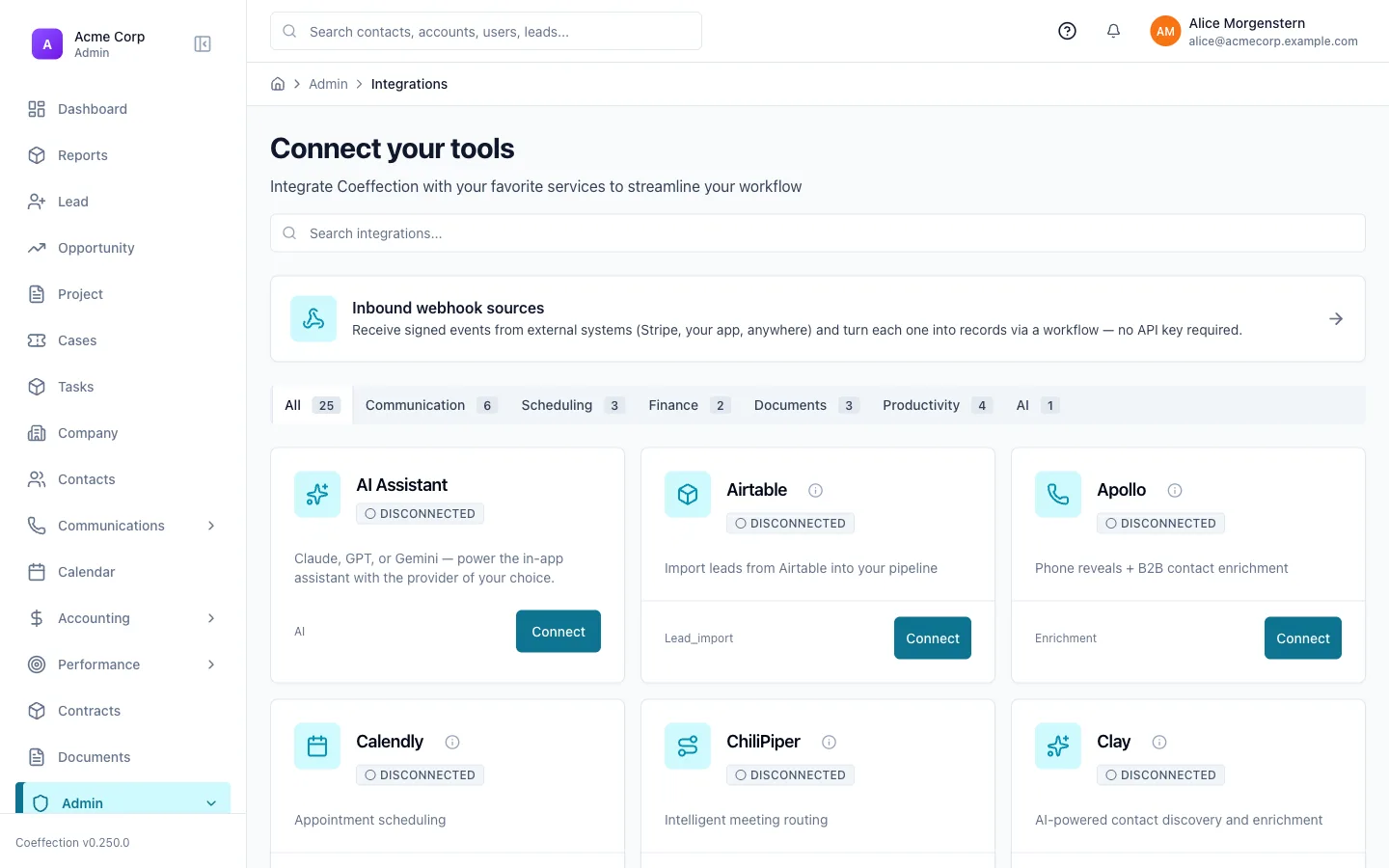
Open the integrations directory
Head to Admin → Integrations. This is the catalog of everything Coeffection can talk to. Connect the tools you already use, like Google, Slack, Zoom, QuickBooks, or DocuSign, directly from here in a few clicks.
Not every tool has a built-in connection. Sometimes you just want a generic way to receive events from any system that can send a webhook. That's what Inbound Sourcesare for, and it's what the rest of this guide covers.
Create an Inbound Source
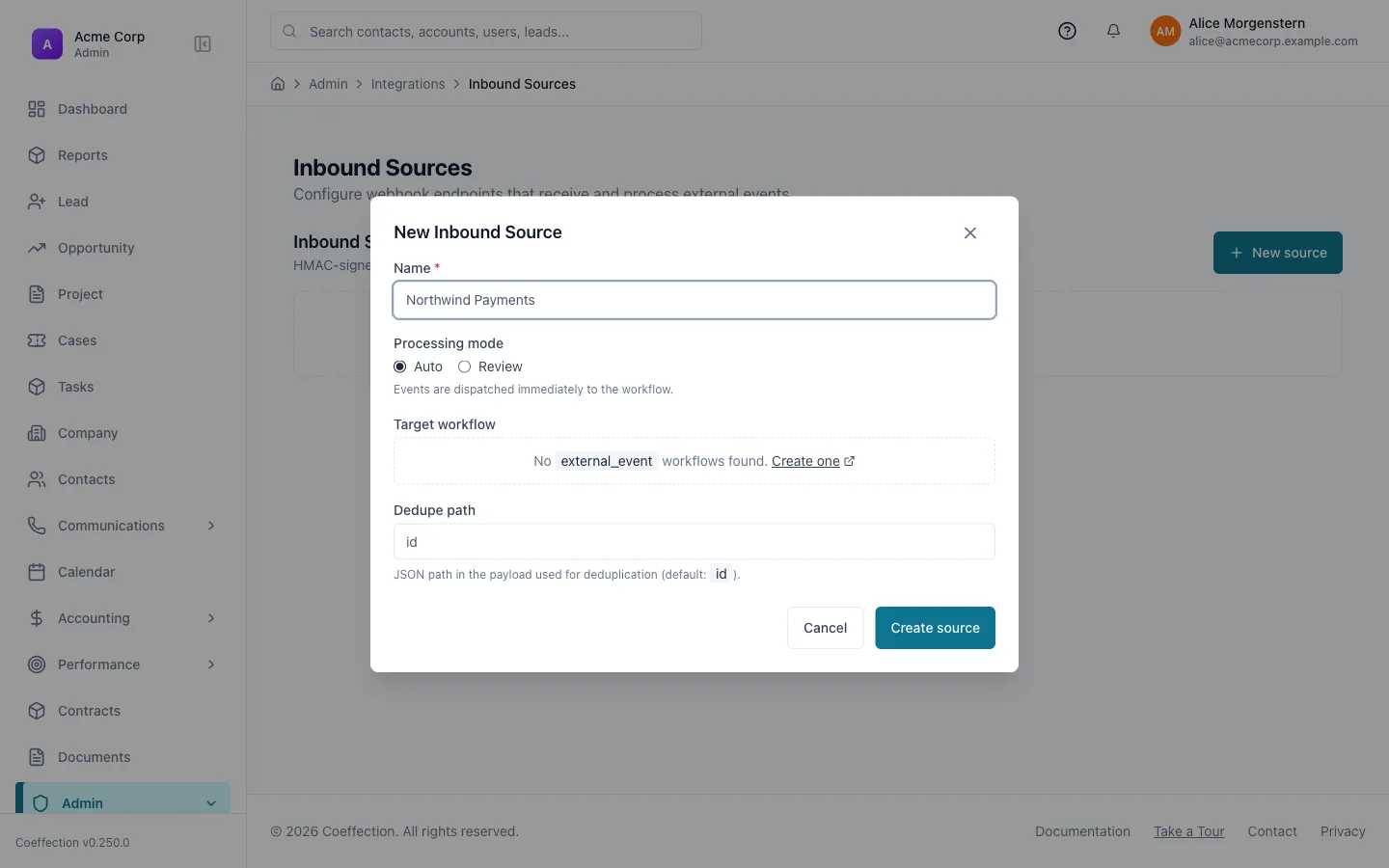
From the integrations directory, open Inbound Sources and click New source. Give it a name that says what's sending the data, something like “Northwind Payments”, and save it. Coeffection generates a permanent, unique slug for the source the moment you create it.
The same form also has a processing mode, a dedupe path, and a target workflow. We'll come back to those in a few steps.
Copy the webhook URL and signing secret
As soon as the source is saved, Coeffection shows you two things you need to configure on the Northwind side: a unique webhook URL (shaped like https://your-crm.com/api/ingest/<tenant>/<source-slug>) and a signing secret. Paste both into Northwind's webhook settings. Most external tools have a “Webhook URL” and a “Secret” field for exactly this.
The secret is shown to you exactly once. If you lose it, open the source and click Rotate secret to generate a new one, but that immediately invalidates the old one, so update Northwind at the same time.
Keep the signing secret safe
Every request to your source's webhook URL has to carry a valid HMAC signature computed from that secret, and Coeffection rejects anything with a stale timestamp or a signature it's already seen (a replay). An unknown source, a bad signature, and a duplicate delivery all get the same generic rejection. There's no way for an outsider to probe which sources or tenants exist. Treat the secret like a password: store it in Northwind's secret vault, not in a plain-text config file.🖼 Screenshot coming soon
Set the dedupe path and choose a mode
Back on the source's settings, set the dedupe path: a JSON path to whatever field in Northwind's payload uniquely identifies an event (the default is id). If Northwind ever retries a delivery, Coeffection recognizes the same id and skips creating a duplicate record.
Then choose a mode: Auto runs your workflow the instant a signed event arrives. Good for a trusted, high-volume source, like completed payments. Review holds each event in an inbox first, so a teammate can glance at it before anything gets created. Good for anything you want a second pair of eyes on before it becomes a real record.
🖼 Screenshot coming soon
Map event fields to record fields
Open the source's Payload Shape tab and paste a real sample event from Northwind, something like { "id": "evt_123", "amount": 4800, "customer": { "email": "ada@northwind.example" } }. Click Detect fields and Coeffection walks the JSON (including nested objects) and gives you an editable table of field names, their $event.<path> reference, a type, which field is the dedupe key, and which columns should show up in the review inbox.
Those $event.* references are what you use in the target workflow to actually create a record. Build (or open) a workflow with an External event trigger, select this source, and add a Create entityaction. Pick the entity type you want each event to become: a built-in one like Contact, or a custom entity you've defined (see Entities & Pipelines if you haven't set one up yet). Then set each field on that action to the matching $event.amount, $event.customer.email, and so on.
🖼 Screenshot coming soon
Send a test event and watch it land in the inbox
With the source still in Review mode, trigger a real event from Northwind (or send a one-off test request signed with your secret) and open the source's Inbox. The event shows up there with the columns you marked Show in inbox back in step 5. From here you can Promote it to run the workflow and create the record, or Reject it to discard the event entirely.
Start in Review mode
Even if you plan to run Auto eventually, start a new source in Review mode. Watching a handful of real events land in the inbox is the fastest way to confirm your field mappings are pulling the right values before you let the workflow fire unattended.🖼 Screenshot coming soon
Worked example: Northwind payments become Orders
Put it all together: Northwind is a payments tool, and every time a customer pays, you want a new Order record in Coeffection. No one on the team should have to enter it by hand.
You create an Inbound Source named “Northwind Payments,” copy its webhook URL and secret into Northwind's settings, and set the dedupe path to the payment id Northwind sends on every event. You start it in Review mode, detect the payload's fields, and build a workflow with an External event trigger that creates an Order with amount = $event.amount and customer email = $event.customer.email. After a few real payments show up correctly in the inbox and promote cleanly into Orders, you flip the source to Auto. From then on, every successful Northwind payment creates its Order automatically, with nobody touching a keyboard.
🖼 Screenshot coming soon