

Chapter 1: Do You Need a CRM Yet?
What a CRM Actually Does
A CRM is a shared memory for your customer relationships. Here is what it does, in plain words, and what the jargon means.
Lesson 1 of 5 · 6 min read ·
CRM stands for customer relationship management. That name makes it sound like a philosophy. In practice it is a database with a friendly screen on top.
A CRM does three jobs:
- It remembers. Who is this person, what company are they with, what did we last say to them, and what did we quote?
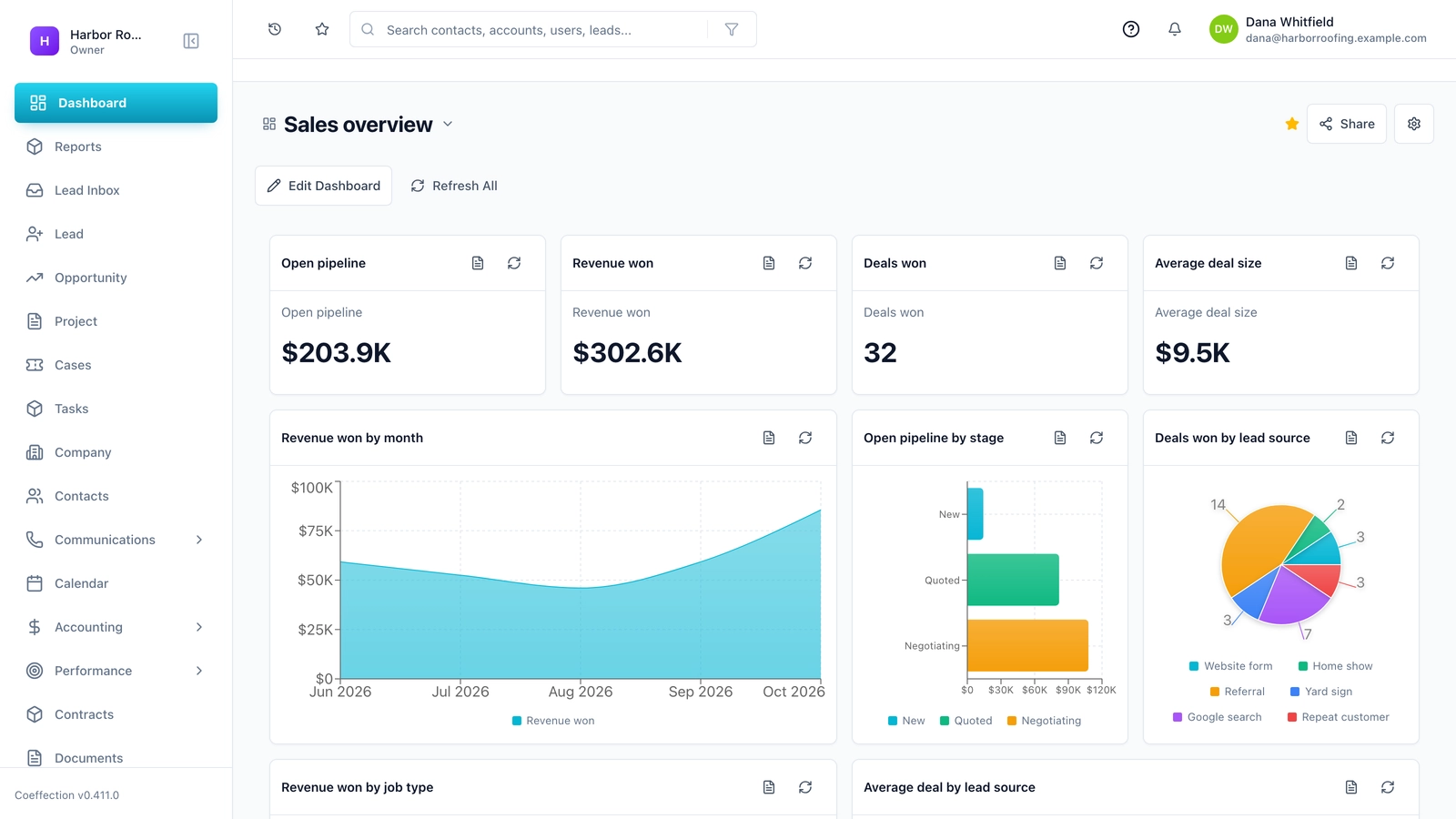
- It shows you where things stand. Which deals are open, which are stuck, and how much money might come in this month?
- It reminds you. Who needs a call today, and which quote has gone quiet?
That is the whole idea. Everything else on a CRM website is a variation on those three jobs, or an extra bolted onto them.
You are already doing all three. You remember things in your head, in your inbox, and on a spreadsheet. You work out where things stand by scrolling. You remind yourself with sticky notes and a good memory. The question in this chapter is whether those tools are still doing the job, and for many small businesses the honest answer is yes.
How does a CRM handle one lead from start to finish?
Here is an invented example. A roofer gets a call on a Tuesday from a homeowner with a leak.
Without a CRM, the roofer writes the name and number on the back of an invoice. On Thursday he measures the roof and takes photos on his phone. On Sunday night he types up a quote and emails it. Two weeks later the homeowner calls and says, I got your quote, can you do it for a bit less? The roofer can't remember which roof it was. He searches his email, finds the quote, and calls back an hour later.
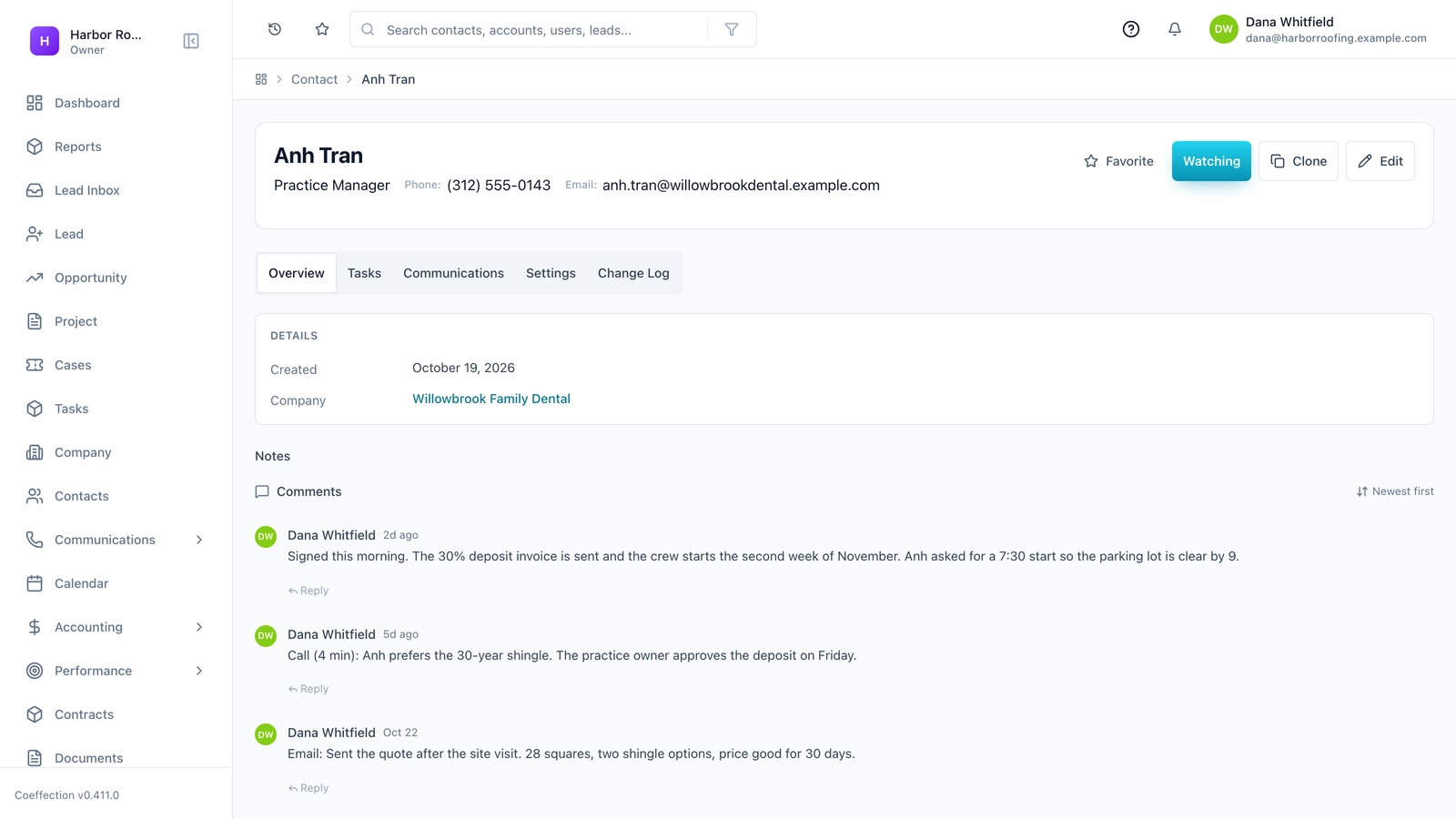
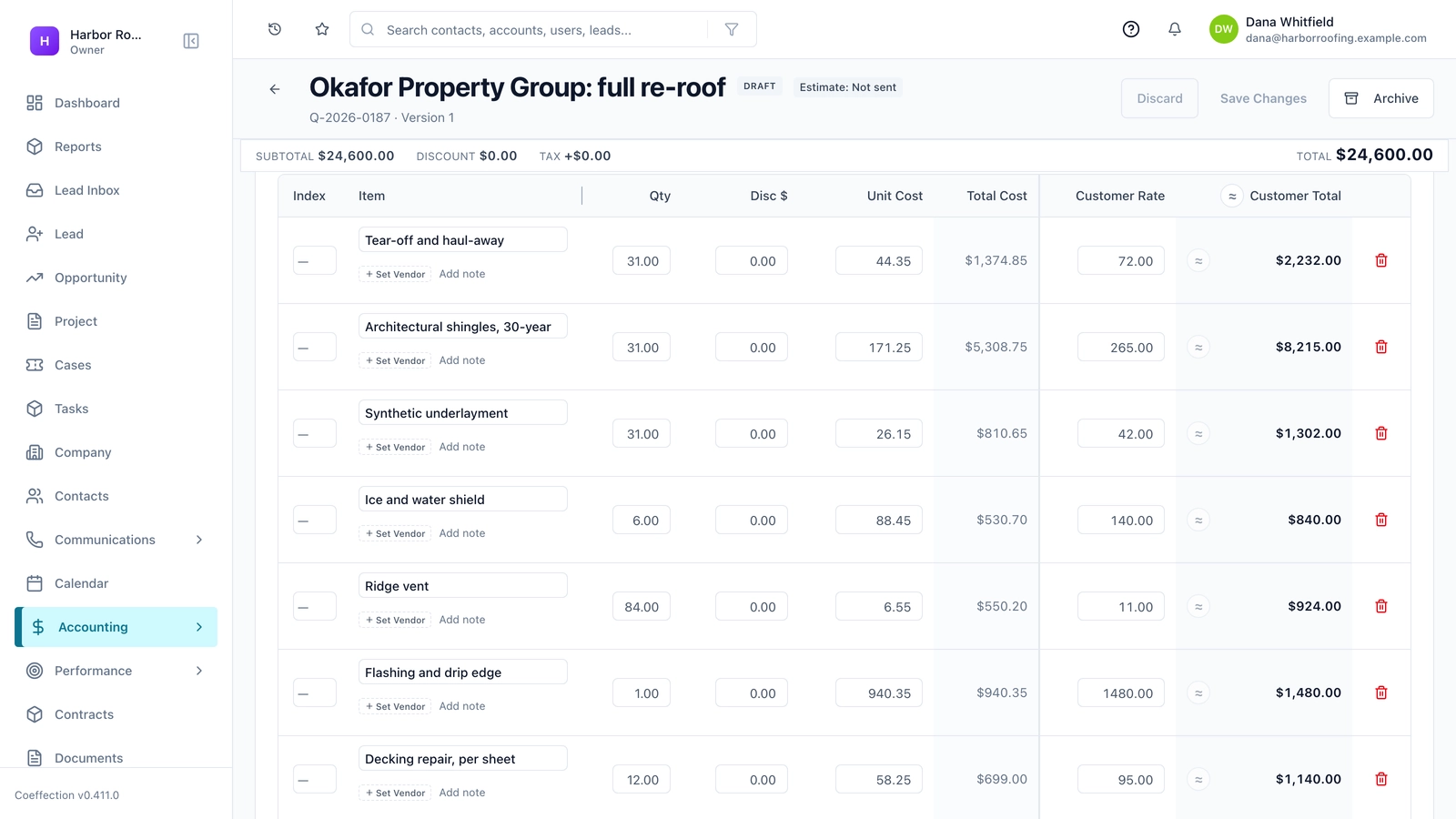
With a CRM, the Tuesday call becomes a new contact and a new deal. The Thursday visit is logged against that deal, with the photos attached. The quote is sent from the deal, so the amount and date are stored there. A task pops up five days later to follow up. When the homeowner calls two weeks later, the roofer searches her name and sees the whole history on one screen before he picks up.
Nothing clever happened. The information stopped being scattered, and the follow-up stopped depending on memory.
What do the main CRM terms mean?
CRM vendors use a small set of terms, and they do not always agree on them. Learn these and most product pages get easier to read.
- Contact: a person.
- Company or account: the organization that person works for. A homeowner may not have one.
- Lead: someone who might buy but has not been checked yet. Some CRMs treat this as a separate record, others do not.
- Deal or opportunity: one possible sale. One customer can have many deals over the years.
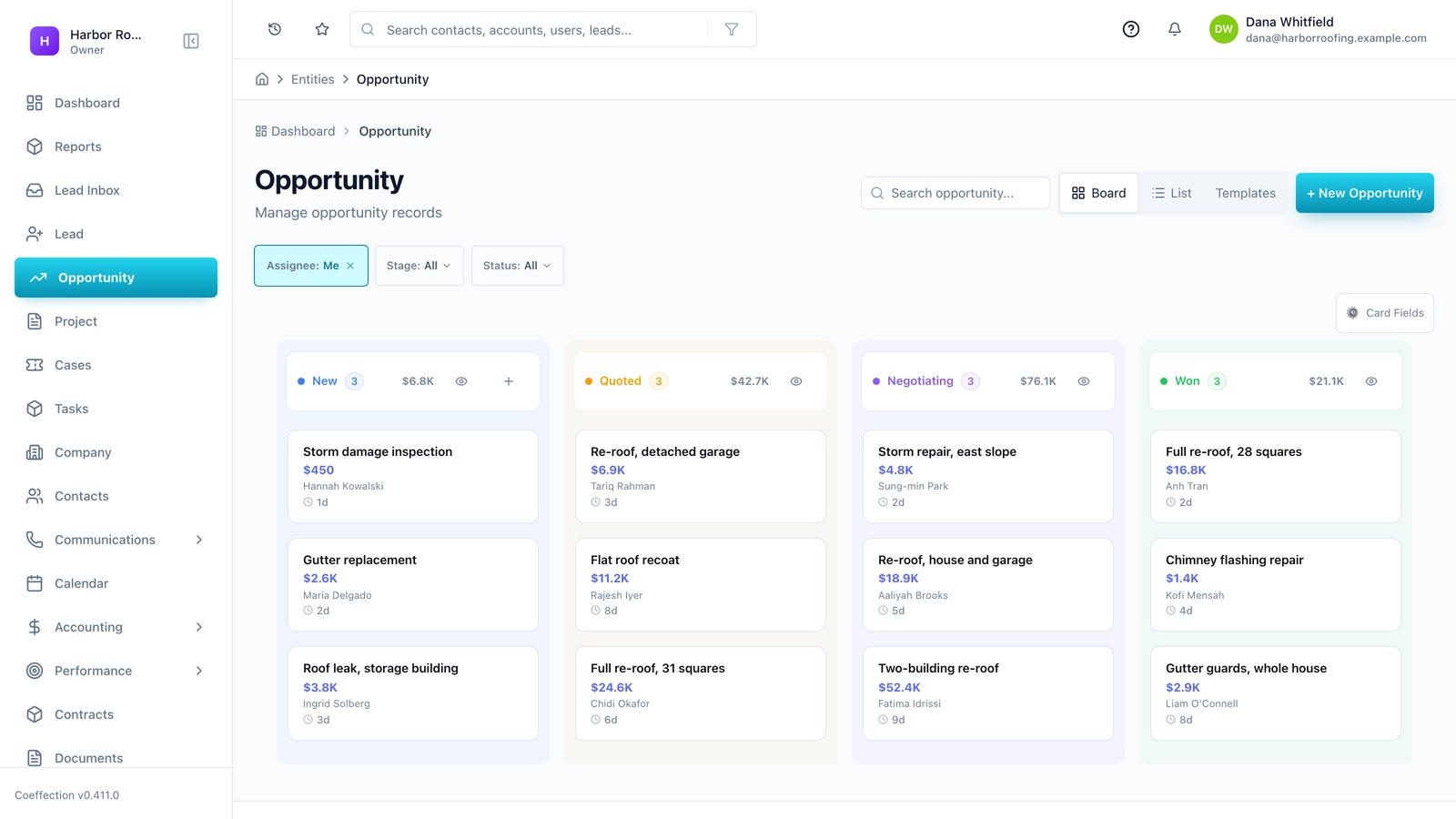
- Pipeline: the steps a deal moves through, such as Quoted, Negotiating and Won.
- Stage: one step in the pipeline.
- Activity: a logged call, email, meeting or note.
- Task: something someone needs to do by a certain date.
The most useful picture in most CRMs is the pipeline board. Each column is a stage and each card is a deal. You drag a card to the right as it moves forward. An owner can look at it for ten seconds on a Monday morning and know what needs attention.
Tip
Your pipeline should match how you really sell, in your own words. A bakery wholesaler might use Sample Sent, Tasting Booked, Trial Order and Standing Order. If a CRM forces you to use its stage names, that tells you something about it.
What a CRM is not
Knowing what a CRM is not saves money, because vendors like to blur the edges.
A CRM is not your accounting system. It may show invoices or connect to your bookkeeping software, but your books should stay in your books.
A CRM is not always an email marketing tool. Some include newsletters and campaigns, some charge extra, and some leave that job to a separate product.
A CRM is not a project management tool. Once the deal is won, the work of doing the job often lives elsewhere. Some CRMs stretch into that territory. Check what you actually get before you count on it.
A CRM is not a website. It may give you a web form, but it won't replace the site that brings people to you.
Many products now do several of these jobs at once. That can be handy, or it can mean paying for four average tools at once. We will come back to this when we talk about must-haves in Chapter 2.
| Question you need answered | Where it usually lives |
|---|---|
| Who is this person and what did we last say? | CRM |
| Which deals are stuck? | CRM |
| Has this invoice been paid? | Accounting software |
| What is on next Tuesday's job schedule? | Calendar or job management tool |
| How many people opened the newsletter? | Email marketing tool, or a CRM that includes one |
Who wrote this course?
Coeffection publishes this course, and Coeffection makes a CRM. You should keep that in mind as you read, and judge our advice accordingly. We wrote this course to be useful to you whether or not you ever buy from us, and that includes telling you when you don't need any CRM at all. The next two lessons are about exactly that.
Key takeaways
- A CRM does three jobs: it remembers, it shows you where things stand, and it reminds you.
- A contact is a person, a deal is one possible sale, and a pipeline is the steps a deal moves through.
- You are already doing these jobs somehow. The question is whether your current way still works.
- A CRM is not your accounting, and it may not cover email marketing or project work. Check before you assume.
Common questions
What is the difference between a CRM and a spreadsheet?
A spreadsheet can hold customer details too. A CRM is built to remember who each customer is, show where each deal stands and remind you what to do next. Whether your current tools still do those jobs is the real question.
Does a CRM include accounting or email marketing?
Not always. A CRM is not your accounting system. Some CRMs include email marketing, some charge extra for it, and some leave it to a separate product, so check what you get before you buy.
What is a sales pipeline in a CRM?
A pipeline is the steps a deal moves through, such as Quoted, Negotiating and Won. Each column on a pipeline board is one stage, and each card is one deal.
Keep your place and test yourself
Enroll for free to save your progress, take the chapter quiz, and get a certificate when you pass every chapter. The lessons stay open to everyone either way.