
Webinars: Engage an Audience at Scale
6 min read · Intermediate · Communication
A one-to-one call reaches one person. A webinar reaches a room. Coeffection drives Zoom webinars from inside the CRM, so scheduling, registration, and who-actually-showed-up all live next to the contacts and opportunities they belong to — instead of in a separate Zoom dashboard nobody on your team logs into.
This guide covers scheduling a webinar, tracking registrants and attendees, and keeping everything in sync with Zoom. You'll need Zoom connected first (with webinar permissions granted) — the Leveraging Zoom guide covers that connection.
Schedule a webinar
From Communications → Webinars, click New Webinar. Give it a topic and agenda, set the start time, timezone, and duration, and add any panelists who'll present alongside you. Coeffection creates the webinar in Zoom and keeps a copy here so your whole team can see it.
Turn on registration to capture leads
Flip Registration Requiredon and every sign-up becomes a known person you can follow up with — not an anonymous attendee. Leave it off for an open, join-by-link session.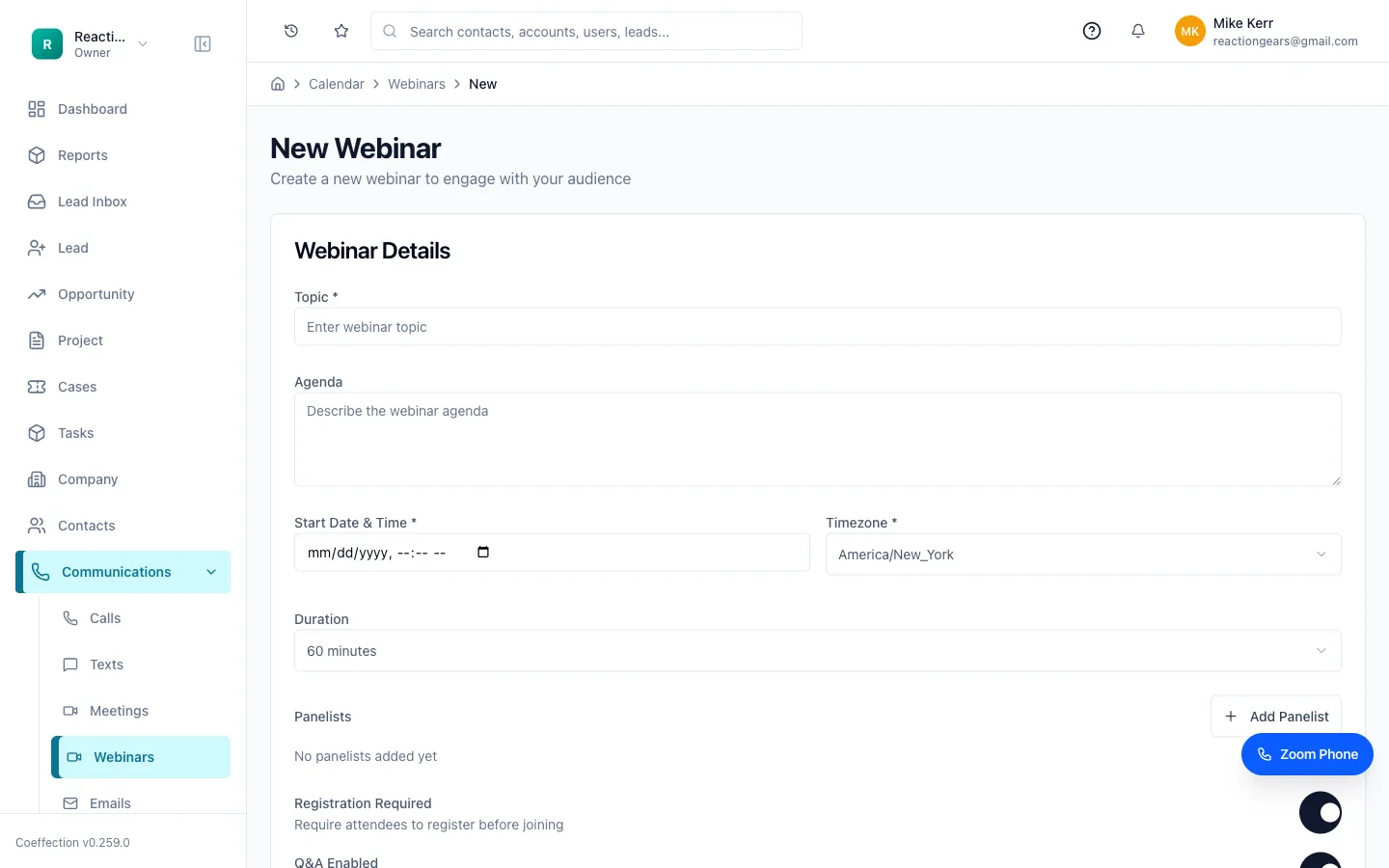
Track registrants and attendees
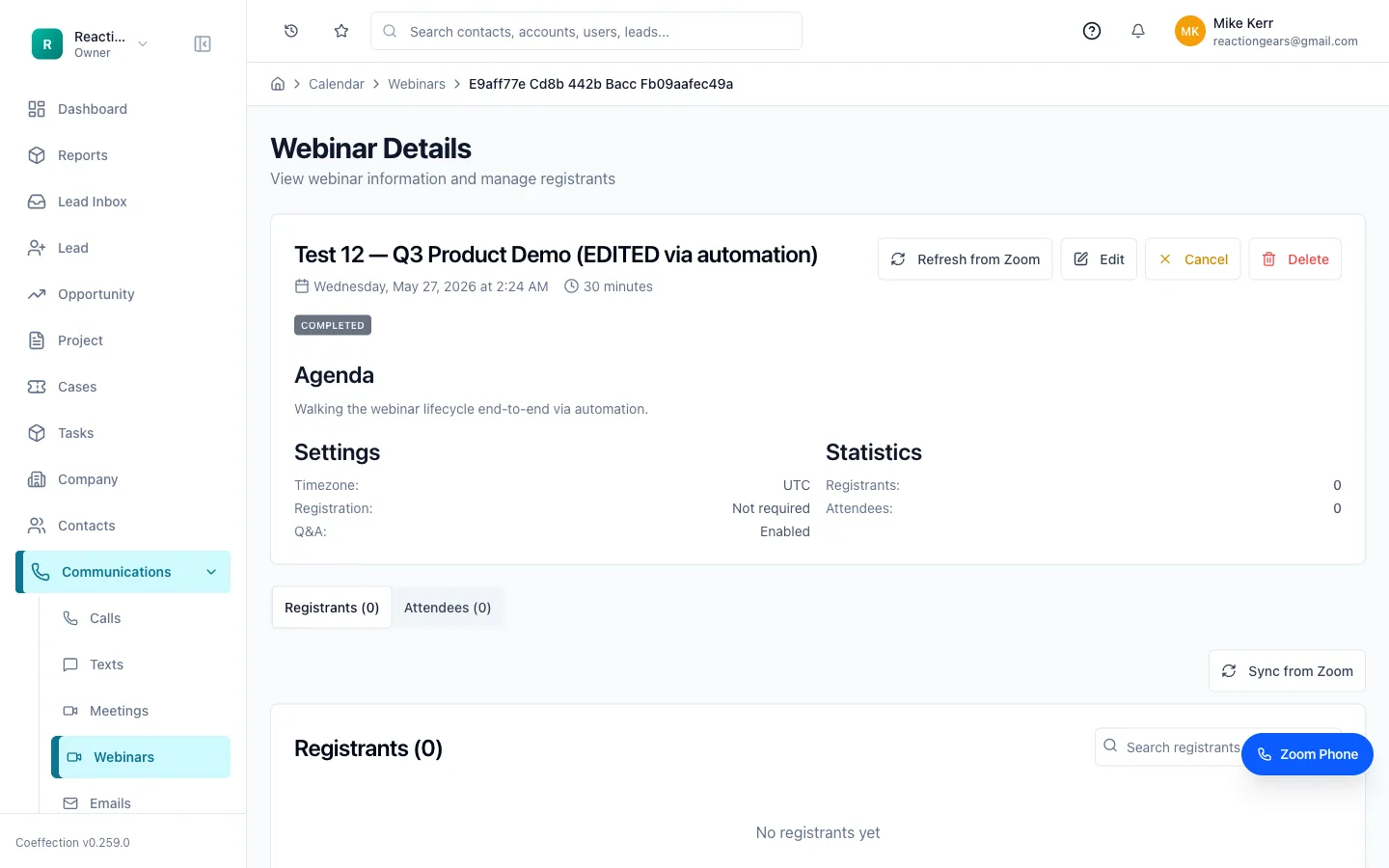
Open any webinar to see its detail page. The Registrants and Attendeestabs list exactly who signed up and who actually joined, with running counts in the Statistics panel. That gap — registered vs. attended — is the follow-up list that makes a webinar worth running.
Keep it in sync with Zoom
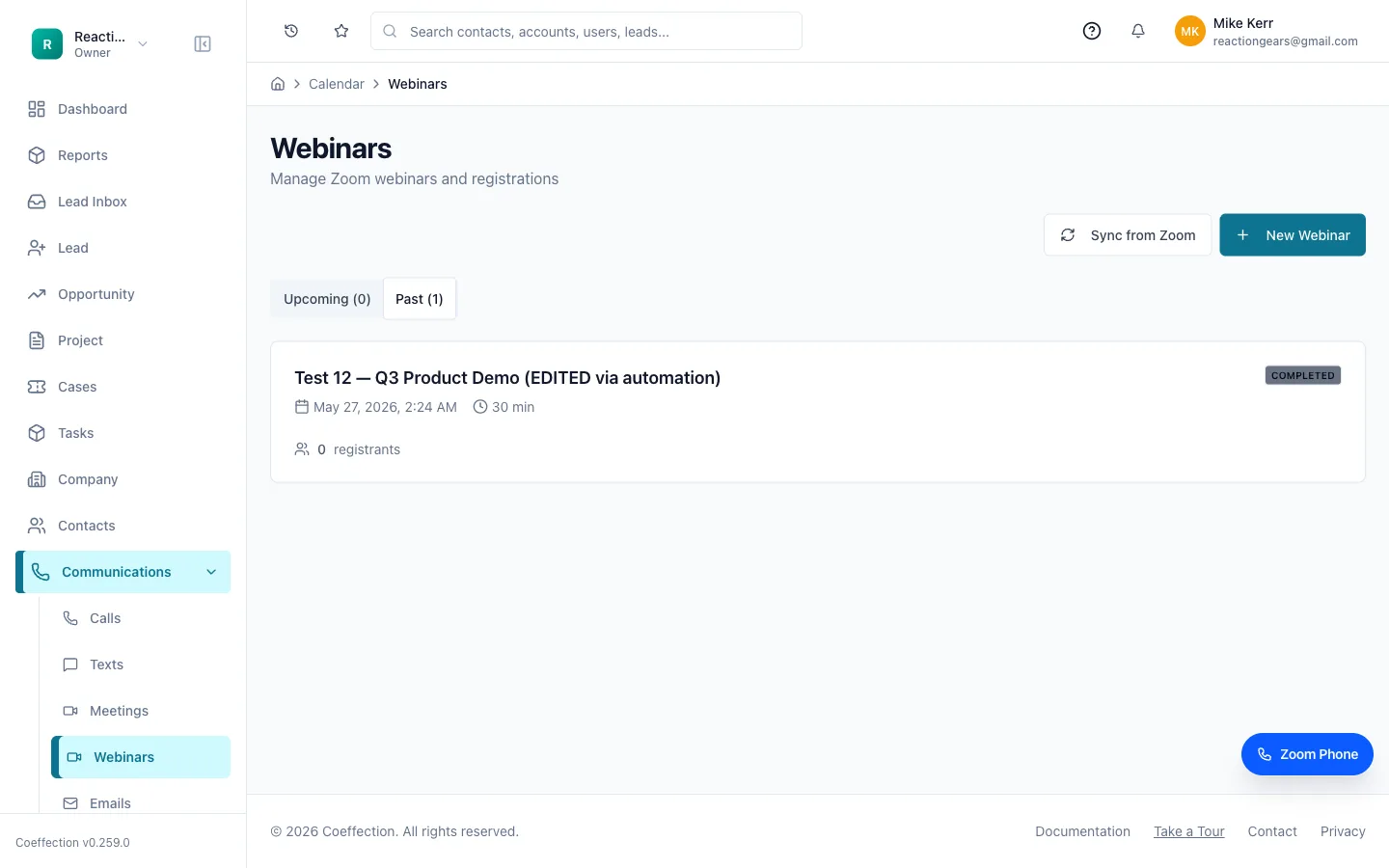
The Webinars list splits into Upcoming and Past, so you can prep what's next and review what already ran. If you scheduled a webinar directly in Zoom, or an attendee list updated after the fact, hit Sync from Zoom and Coeffection pulls the latest state in — the two stay consistent without double entry.
Turn registrants into follow-up
A webinar is a lead-gen event, so the payoff is what happens after. Because registrants and attendees live in Coeffection next to your CRM, the people who raised their hand are right there to work: add them to a pipeline, drop them into a nurture sequence, or hand the hottest ones to a rep. The room you filled becomes records your team can actually act on.
🖼 Screenshot coming soon
Webinars are one slice of the Zoom integration. Calls, texts, and meeting recordings tie into your records the same way — that's the next guide, Leveraging Zoom.
Next up
Leveraging Zoom: Calls, SMS & RecordingsAdd Zoom Phone, get an SMS number, and link calls, texts, and recordings to your records.